
Top Web Design Trends for 2026 are not just about looking modern. They are about making websites feel more memorable, more interactive, and more aligned with how people actually experience brands online. If you're planning a redesign, investing in professional web development services can help turn these trends into a site that actually performs.
A website can look polished and still feel forgettable. And in a landscape where 91% of online consumers say they want better digital experiences, forgettable is expensive. The brands earning attention and holding it in 2026 are the ones making deliberate design choices not chasing every trend, but selecting the ones that serve their audience, message, and conversion goals.
These trends are solutions to real problems: designers and brands figuring out how to stand out when the baseline is higher, how to earn attention when it's scarcer, and how to signal craft and intention in their work.
This guide covers twelve of the strongest web design directions for 2026 the original eight from your brief, plus four that top competitors are actively ranking on and your audience is searching for.
Gamified design has moved beyond apps and dashboards. In 2026, more marketing sites, SaaS platforms, and product pages are borrowing behavioral patterns from games to create experiences that feel more dynamic, responsive, and rewarding.
This shows up as glowing UI accents that respond to hover, layered feedback loops that reward scrolling, progress-style indicators, motion-led interface moments, and micro-interactions that make every action feel immediate. The underlying psychology is straightforward: when a website responds to you, you feel more engaged with it. Passive scrolling becomes active exploration.
The best examples of this trend feel like they're designed with the user not just for them. Think of a pricing page where hovering a plan triggers an animated comparison, or a hero section where your cursor leaves a trail that fades. Neither adds complexity to the conversion path; both make the experience more memorable.
Where it works: SaaS platforms, education brands, AI tools, creative portfolios, interactive product pages, and onboarding flows. Where it doesn't: anywhere the primary goal is clarity and trust. A law firm or hospital website with gamified interactions reads as tone-deaf.
Anti-design has matured in 2026 from an edgy experiment into a genuine visual strategy for brands that want to stand out.
Neubrutalist websites apply brutalist architecture principles: a rough, unadorned surface to digital design. Bold color palettes with high contrast, sharp geometric forms, and utilitarian layouts that prioritize function over decoration. This approach works for creative agencies, fashion brands, and tech companies seeking differentiation. It fails for financial services, healthcare, and enterprise B2B contexts where conventional polish signals trustworthiness.
The distinction that matters here is intentionality. Anti-design that reads as careless is just a broken website. Anti-design that reads as deliberate where the asymmetry, clashing type, and exaggerated spacing all feel authored creates genuine brand recall. Toggl's brutalist product site is the reference point most designers cite: it's jarring by design and impossible to forget.
Common patterns: uneven grids, clashing or oversized typography, asymmetric composition, raw visual treatments, exaggerated white space, unexpected visual juxtaposition.
Where it works: creative studios, fashion brands, personal brands, music and culture-led businesses, bold agency websites. Where it doesn't: anywhere the audience needs to feel reassured healthcare, legal, enterprise software.
The scroll-based storytelling Website Design Trends for 2026 has split in 2026 into two distinct directions: narrative immersion (where scroll reveals a story) and scroll-as-navigation (where scroll shows users where they are and why they should keep going).
Guided scrolling helps designers combat the attention challenge with clear wayfinding. Progress indicators, scroll bars, and visual cues show users where they are in the experience and what's coming next. These interactions take several forms: progress indicators that show how far through content you've scrolled, interactive elements that activate as you move down the page, and visual markers that turn passive scrolling into guided exploration.
The narrative version is harder to build but creates the strongest brand moments. Think of a product launch page where scroll drives a 3D scene forward, or a campaign site where each section reveals a new chapter of a brand story. The navigation version is more universally applicable even a standard B2B website benefits from a reading progress bar and clear section anchors.
Where storytelling-first works: brand campaigns, product launches, agency websites, entertainment brands, premium consumer products. Where navigation-first works: long-form content, complex product explanations, feature-heavy SaaS sites.
The watchout is the same for both: interactivity must strengthen the story, not obstruct it. If users can't find the CTA because the scroll animation is in the way, the trend is working against you.
Speed optimization has evolved from best practice to absolute requirement in 2026. Brands that want faster, scalable, and search-friendly sites often benefit from CMS website development services especially when content performance and easy publishing both matter. With Core Web Vitals directly influencing rankings and user satisfaction, designers now prioritize lightweight assets, efficient code, and intelligent loading strategies above all else.
This trend is less about green branding aesthetics and more about building websites that don't waste, don't waste bandwidth, don't waste render time, don't waste the user's attention with unnecessary motion. Research from Deloitte in collaboration with Google found that decreasing mobile load times by just 0.1 seconds resulted in an 8.4% increase in conversion rates for retail sites. The same research found that 53% of mobile users abandon pages that take longer than three seconds to load.
In practice, sustainable design in 2026 means: WebP or AVIF image formats over JPEG, lazy loading as default, limiting auto-playing video, building with fewer HTTP requests, choosing system fonts or variable fonts over multiple custom font files, and making accessibility a structural commitment rather than an afterthought.
The broader implication is that this trend isn't really a stylistic choice, it's a competitive baseline. A visually impressive site that scores poorly on Core Web Vitals will lose traffic, rankings, and conversions to a simpler, faster competitor.
Designers are leaning into depth and interaction, moving beyond static images to immersive, 3D-driven experiences. Using technologies like WebGL, sites now feature interactive models, scroll-triggered animations, and AR previews. Brands like Nike and IKEA use 3D and AR to help users virtually try on products, visualize a fit, or navigate environments before making a purchase.
The shift in 2026 is away from a single floating 3D object in the hero (which already feels dated) toward 3D as a structural storytelling layer tied to scroll position, responsive to cursor movement, or integrated with product configurators.
The stronger expressions of this trend use 3D to answer a user question: what does this product look like from every angle? How does this space feel to move through? What happens inside this mechanism? When 3D answers a real question rather than decorating a page, it justifies its performance cost.
The performance watchout is serious. Unoptimized 3D can destroy Core Web Vitals on its own. Best practice in 2026 is to load 3D assets conditionally only on desktop, only after initial paint, only for users whose devices can handle it.
Where it works: premium product brands, fashion and lifestyle, automotive, industrial, tech-led landing pages. Where it doesn't: anywhere performance is mission-critical and the audience is predominantly mobile.
Retro internet design draws inspiration from early internet culture and Y2K-era visual language overlaying text on imagery, mixing nostalgic fonts, embracing visual clash to create energy and intrigue.
The reason The most popular experience design trends of 2026 remains strong this year, iis emotional: nostalgia creates recognition, and recognition creates trust. For brands targeting audiences who grew up with the early web, this aesthetic feels like an in-joke. For younger audiences, it feels like an aesthetic they know from TikTok and Instagram but haven't seen executed well on a brand website.
The visual vocabulary includes pixel-style graphics, low-fi textures, playful interface references (faux desktop windows, cursor trails, loading bars), bold and unexpected color palettes, and typography choices that break every "modern" rule intentionally.
The line between this working and not is polish. Raw retro with no clear authorial intent just looks like a broken website from 2002. Retro that's clearly designed where the intentionality is visible creates genuine brand distinctiveness.
Where it works: youth-focused brands, fashion, entertainment, culture-led products, experimental portfolios. Where it doesn't: enterprise, professional services, any context where the audience's trust threshold is high.
After years of loud, maximalist Design Trends 2026, clarity and purpose-driven design is back. The Resonant Stark trend strips websites to their essentials while layering in subtle emotional details ultra-thin fonts, soft gradients, plenty of whitespace, incorporating animation and micro-interactions to bring life without adding clutter. The important evolution here is that 2026 minimalism is not 2019 minimalism. Empty white space and a single centered paragraph no longer reads as sophisticated as it reads as unfinished. Modern minimalism earns its restraint by doing more with less: sharper hierarchy, stronger readability, more considered micro-interactions, and clearer conversion paths. The distinction between minimalism and genericness is brand character. A minimal website that still feels unmistakably like a specific brand through its typography, spacing decisions, and motion choices is a strong execution. A minimal website that could belong to any company in the category has confused restraint with invisibility. This is especially true for B2B, fintech, and SaaS brands, where clean UX and strategic layouts support both trust and conversion — something Buzz also emphasizes in its broader digital services. Where it works: B2B, fintech, healthtech, SaaS, legal services, portfolios with strong content, any brand where trust and clarity are the primary conversion drivers. Where it struggles: brands that need to project energy, creativity, or cultural belonging.
The 80s aesthetic in web design has matured from obvious retro pastiche into something more editorial and refined. Pantone's Color of the Year 2026 is Cloud Dancer a soft, neutral, almost off-white which is influencing the broader shift toward warmer, more restrained nostalgic palettes rather than the neon maximalism of earlier retro revivals.
In 2026, this trend appears through grainy film overlays, soft vignettes, bordered photography with dated color grading, nostalgic type choices that feel editorial rather than retro-kitsch, and ad-style compositions that reference print design from the decade. The result is warmth, personality, and emotional recognition without tipping into costume.
The practical application for brand websites is to use this as a brand identity layer rather than a full visual direction. A homepage hero shot with a film grain overlay and a hand-set headline font can signal personality without rebuilding the entire design system around the 80s.
Where it works: lifestyle brands, skincare and beauty, editorial publications, food and beverage, fashion and culture-led products. Where it doesn't: anywhere the aesthetic creates a trust gap with a younger or tech-forward audience.
This is one of the most significant emerging trends that the original article missed entirely.
Typography is taking center stage in 2026, moving beyond legibility into storytelling. Brands are using custom fonts, oversized headlines, motion, and layered styles to make bold first impressions. You'll see expressive types in everything from landing pages to navigation.
Kinetic typography means type that moves that reveals, transforms, responds to scroll, or responds to cursor position. At its best, it turns the headline itself into the visual hero of the page. At its worst, it makes text impossible to read and the page impossible to use.
The 2026 version of this trend is less about pure spectacle and more about using motion to direct attention. A headline that types itself out character by character, a word that morphs as you scroll past a section break, a navigation item that expands into a full statement when hovered all of these use motion to do a job that static type cannot.
Best for: brands with strong editorial voice, creative agencies, fashion, entertainment, any brand where the writing itself is part of the brand identity.
An evolved, refined, and hyper-modern interpretation of digital space, Glassmorphism uses transparent, layered depth with a sheen-like quality to create compositions that feel sleek and commanding. The aesthetic is both futuristic and fun and can offer a new perspective to existing brands or help define new businesses.
Glassmorphism: the translucent, frosted-glass UI style had its first major moment in 2021 and then quickly felt overused. In 2026, it's back in a more restrained form: less blurred-everything, more considered use of transparency and layering for specific UI moments. Think a modal card that feels like it's floating above the page, or a navigation overlay with a subtle frosted effect against a colorful background.
The key to executing this well in 2026 is restraint. One or two elements using glassmorphism create the intended effect. A page where every card, button, and section uses it becomes visually noisy.
Best for: fintech, tech products, productivity tools, apps, anything where the UI itself is part of the brand experience.
Modular bento grid layouts are one of the clearest structural trends of 2026 named after the Japanese bento box, where multiple compartments organize diverse content in a single structured frame.
Popularized by Apple's product pages and quickly adopted across SaaS and tech marketing sites, the bento grid solves a real design problem: how do you show multiple features, stats, or selling points on one page without it feeling like a wall of content? The answer is a modular card system where each block occupies a different size, the information density is high but organized, and the visual hierarchy guides the eye naturally.
This works particularly well for feature showcases, about sections, case study teasers, and metric-heavy marketing pages. The risk is that it can feel cold and tech-samey when applied without brand character.
Best for: SaaS, tech products, product-led growth companies, any brand with multiple features or benefits to communicate simultaneously.
Websites in 2026 evolve beyond static pages toward dynamic, personalized experiences. AI creates a fully dynamic interface based on any user request, rather than simply generating text or content. This is the most technically demanding trend and the one with the highest ceiling for impact. At the basic level, it means showing returning visitors different content than first-timers, or surfacing product recommendations based on browsing behavior. At the advanced level, it means interfaces that reorganize themselves based on what a user has indicated they care about. Beauty brand Sephora recently upgraded AI-based product recommendations analyzing user browsing patterns, skin type, and purchase history to boost returning customer engagement dramatically. The same principle applies to any content or product-heavy site. For most marketing websites, the accessible version of this trend is: personalized CTAs based on traffic source, dynamic content blocks based on returning vs. new visitor status, and chatbot assistants that behave like concierges rather than FAQ drawers. Personalization works even better when paired with a strong search strategy, since the right content still has to be discovered before it can be adapted. That’s where a solid SEO strategy and services can support long-term growth.
Not every trend belongs on every website. The most damaging design mistake in 2026 is applying trends that look right for the category but feel wrong for the brand or that compromise clarity and usability in pursuit of visual interest.
If a trend doesn't improve clarity, experience, or conversion, its decor can be distracting and confusing. Thoughtful always beats trendy.
For B2B, SaaS, fintech, healthtech, and professional services, the most reliable 2026 directions are modern minimalism, performance-aware design, selective scroll-based interactivity, bento grids for feature storytelling, and glassmorphism for UI moments. These improve the user experience and support conversion without creating a brand mismatch.
For creative studios, fashion, entertainment, culture-led, and youth-facing brands, the strongest directions are anti-design, retro/Y2K visuals, kinetic typography, interactive storytelling, and gamified moments. These create the brand recall and emotional response those audiences are looking for.
For ecommerce and product-led companies, 3D product experiences, AI personalization, scroll storytelling, and bento grids offer the highest conversion leverage. For startups and growing brands, the smartest move is not following every trend, but choosing the ones that support your product, audience, and launch goals. This is especially important during early builds, where thoughtful website development for startups can create a stronger long-term foundation.
Whether it's through proprietary visual systems, careful restraint, or sophisticated interaction design, these trends share a common thread: intentionality. They're about making deliberate choices during an era when it's easier than ever to create, but harder than ever to stand out.
The strongest websites in 2026 will not try to use twelve trends at once. They will identify the two or three directions that fit their audience and brand position, execute those with craft and discipline, and resist the pull of everything else. Trends make a website feel current. Judgment makes it work.

If your business depends on demos, consultations, discovery calls, onboarding sessions, service appointments, or any scheduled interaction, a booking website can become one of the most valuable conversion points on your entire site.
A booking website is a website or landing page that lets users choose a service, view available time slots, submit relevant details, and book online often with payments, reminders, meeting links, CRM handoff, and pre-qualification forms built in Businesses investing in better booking flows often benefit from professional web development services to make sure the experience supports both usability and conversion..
This is no longer a tool just for salons or clinics. Today, booking websites are equally critical for:
Whether the goal is a sales demo, strategy call, or service appointment, a strong booking website reduces friction and helps people take action faster.
A booking website makes sense for any business that needs users to schedule before they buy, start, or speak with your team. This includes:
If a scheduled interaction plays a role in revenue, lead qualification, onboarding, or service delivery, a booking website should not be treated as a side feature. It is part of your growth system.
A booking website does more than automate scheduling. It turns interest into action without unnecessary delay. It helps you:
For B2B, SaaS, fintech, healthtech, and AI-based companies, this is especially useful because the website often acts as the first step in the sales journey. Instead of sending traffic into a generic contact form, a booking page lets qualified users schedule a demo, consultation, or onboarding call immediately.
A booking website should feel simple for the user, but it needs the right systems behind it. Here are the nine essential features every strong booking website should have:
Users should be able to choose the exact booking type they need book a strategy session, schedule a product demo, reserve an onboarding call, or request a technical walkthrough.
Your booking system should sync with Google Calendar or Outlook so users only see real open slots and you never get double-booked.
A strong booking flow collects the right information before the call or appointment. For B2B, SaaS, and AI companies this may include company size, service type, project scope, budget range, use case, implementation timeline, and industry.
For service businesses, paid consultations, or classes, your booking page should support payment or deposit collection through Stripe, PayPal, or Square.
Email and SMS reminders reduce no-shows and keep users informed. A 24-hour and 1-hour reminder sequence is the industry standard.
A large share of bookings happen on mobile. If the form, date selector, or payment flow feels clunky, drop-off will increase sharply.
Essential for remote businesses, global SaaS teams, and B2B companies serving multiple regions. Automatic time-zone detection removes a major source of confusion.
For virtual bookings, your system should automatically generate Zoom or Google Meet links at the point of confirmation.
For B2B, SaaS, fintech, healthtech, and AI companies, your booking system should connect to HubSpot, Salesforce, Zapier, Airtable, Slack, and your email automation platform.
Choosing the right booking software is one of the most important decisions in this build. Here is how the most popular tools compare across business types, CRM compatibility, lead routing, and payment support:
Interactive booking software comparison Calendly vs Chili Piper vs HubSpot Meetings vs Acuity vs Cal.com
For most B2B and SaaS companies, Calendly or Chili Piper are the strongest starting points. Calendly offers broad compatibility and an easy onboarding experience. Chili Piper is more powerful for sales teams with complex routing and Salesforce-first workflows. HubSpot Meetings is the natural choice if you are already inside the HubSpot ecosystem.For businesses comparing these tools, the right setup often works best when paired with a conversion-focused booking website development approach.
For service businesses and agencies, Acuity Scheduling and SimplyBook.me offer better payment collection, appointment-based structures, and multi-location support. Cal.com is a strong open-source alternative for teams that want full control over their booking infrastructure without ongoing per-seat costs.
A booking website should reflect how each industry sells, qualifies leads, and delivers its service. Here are the real-world approaches for each major business type:
There are three main routes to building a booking website. The right choice depends on your budget, complexity, internal resources, and how much bookings matter to your revenue.
DIY works best when your needs are simple and speed matters more than polish. It is ideal for solo consultants, small service businesses, founders testing demand, and simple booking flows without complex integrations.
You need a website platform (Webflow, WordPress, Wix, or Squarespace), a booking tool (Calendly, Cal.com, Acuity, SimplyBook.me, or Square Appointments), a connected calendar, and payment setup if required.
A freelancer is the right middle option when you want a better result than DIY without a full agency process. Best for service companies with a clear scope, agencies needing a polished discovery-call page, and moderate-budget projects.
If booking directly influences revenue, lead qualification, onboarding, or conversion, an agency is often the strongest investment. Best for B2B companies, fintech and healthtech brands, AI companies, SaaS businesses, and service firms with multiple services or locations.
A good agency provides: conversion-focused strategy, booking flow planning, stronger copy and UX, design aligned with brand trust, Webflow or CMS implementation, full integrations with payments and CRM, QA and launch testing, and analytics and optimization support.
The cost depends on the build route and the complexity of the flow. Here is a realistic breakdown for 2026:
Webflow hosting adds $14–$39 per month for most growing companies. Booking tool costs range from free (Calendly basic, Cal.com self-hosted) to $20–$30 per user per month for Calendly Teams or Chili Piper. Agency retainers for ongoing optimization typically run $1,500–$5,000 per month.
A booking website should not just function it should remove friction and build confidence at every step.
Avoid vague labels like 'Consultation'. Use specific calls to action such as 'Book a product demo', 'Schedule a discovery call', 'Reserve an onboarding session', or 'Book a strategy consultation'. Specificity tells users exactly what they are getting and reduces hesitation.
Ask only for the information you actually need before confirmation. Show the calendar first, collect qualifying details after the time slot is selected. Every extra required field costs you conversions.
Users should understand what they are booking, who it is for, how long it takes, what happens next, and whether payment is required. Clear expectations reduce abandonment.
Client logos, a short testimonial, privacy messaging, compliance references, and clear policies all reduce hesitation for high-consideration buyers. If you are asking someone to share their calendar and company details, they need to feel safe doing so.
Buttons, date selectors, forms, and confirmation flows must feel easy on smaller screens. Over 60% of B2B buyers research on mobile before converting on desktop.
Even well-designed booking websites lose conversions because of easily preventable errors. Here are the six most common mistakes and how to fix each one:
Most booking website guides stop at the confirmation screen. But what happens next is equally important for reducing no-shows, qualifying leads, and creating a smooth experience for your team.
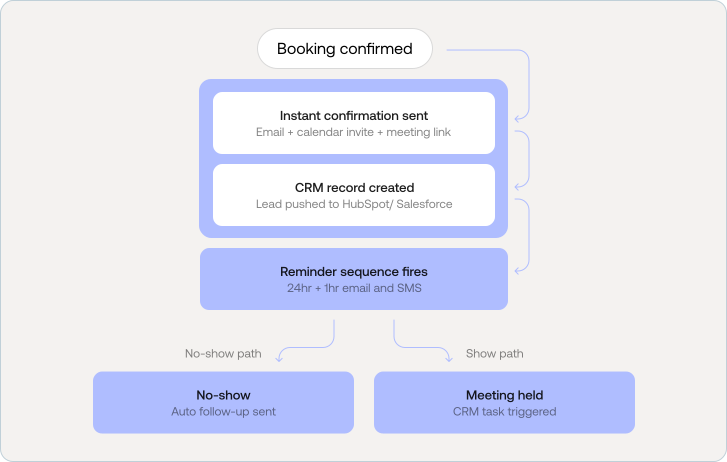
A confirmation email should go out immediately with a calendar invite, Zoom or Meet link (for virtual meetings), a summary of what the person booked, and clear instructions for what to prepare.
For B2B, SaaS, fintech, and AI companies, the booking data should push automatically to your CRM HubSpot, Salesforce, or Airtable creating a lead record with all the intake form context attached.
Send a reminder at 24 hours and again at 1 hour before the meeting. Include the joining link in both. SMS reminders in addition to email reduce no-show rates significantly, especially for service businesses.
Automated no-show follow-up a short, non-aggressive email offering to reschedule recovers a meaningful percentage of missed bookings. Most booking tools support this natively.
For sales teams, the meeting should automatically trigger a follow-up task in the CRM. For service businesses, it should kick off the next step in your onboarding or job management workflow.
B2B companies often need prospects to book discovery calls, demos, onboarding sessions, or consultations. A strong booking page reduces friction and helps qualified leads move faster through the funnel.
These businesses usually need a more trust-led booking experience. Clear messaging, better qualification fields, smoother UX, and stronger credibility signals improve both confidence and conversion rates.
Agencies and service firms can use booking pages for strategy calls, audits, consultations, and onboarding. This creates a more structured sales process and reduces manual scheduling overhead.
AI companies often need a flow for solution walkthroughs, proof-of-concept calls, pilot discussions, and implementation conversations. A clear booking experience helps explain the offer while qualifying interest.
For SaaS businesses, booking pages often support demo requests, onboarding calls, sales qualification, implementation support, and customer success sessions. In many cases, it becomes part of the revenue journey, not just a scheduling tool.
A booking page that nobody finds is a conversion tool that never gets used. Here are the technical and on-page optimizations that help your booking page rank and be discovered:
Before publishing, test the full experience from the user's point of view:
A booking website should do more than let people pick a time slot. It should help your business convert with less friction, qualify leads before your team touches them, and create a smoother experience from first click to first conversation.
For simple needs, DIY can work. For a more polished setup without a full agency investment, a vetted freelancer can be a smart option. For B2B companies, fintech brands, healthtech platforms, AI-based companies, SaaS businesses, and service firms where scheduled interactions drive revenue, an agency-led booking website often delivers the strongest long-term value.
The best booking website is the one that matches your workflow, removes unnecessary friction, and helps the right people book faster.

Have you recently switched to Webflow?
Or
Built a brand-new website?
…and are now searching for the right plugins to install
If so, you're not alone! I was in the same position a year ago when I launched my website on Webflow.
In the start, figuring out which plugins to use felt overwhelming. I spent hours watching YouTube tutorials and reading countless blogs…tested several plugins, and after much trial and error…
Found the ones that worked best for me.
Here are my top recommendations!
Here are some factors that I considered when ranking each Webflow plugin:
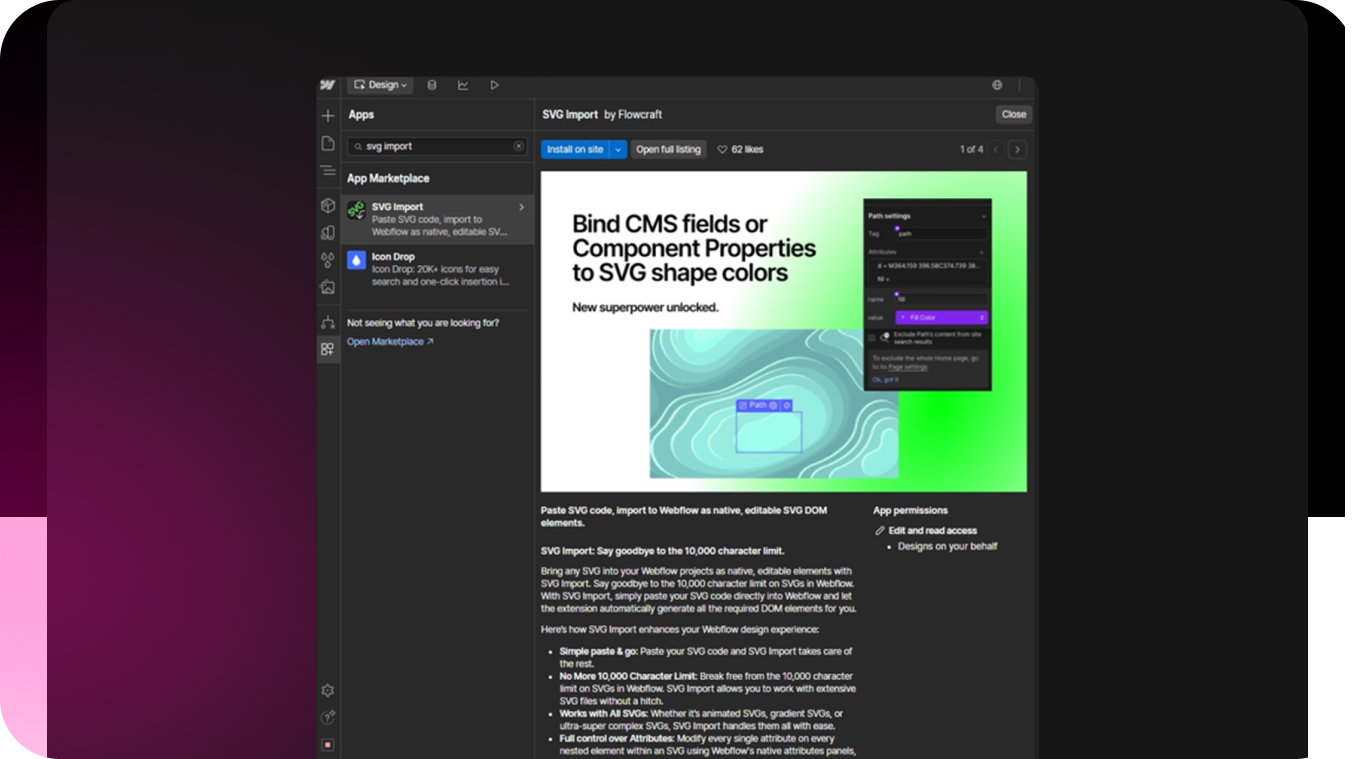
SVG Import is a Webflow plugin that is meant for designers. This allows professionals to easily code Webflow projects as native, editable SVG DOM elements.
This helps improve the productivity of your design team as they wouldn’t have to go back and forth where the images are stored.
Here are some features that I loved about SVG Import:
Pricing: FREE.
My Rating: 4.5 stars
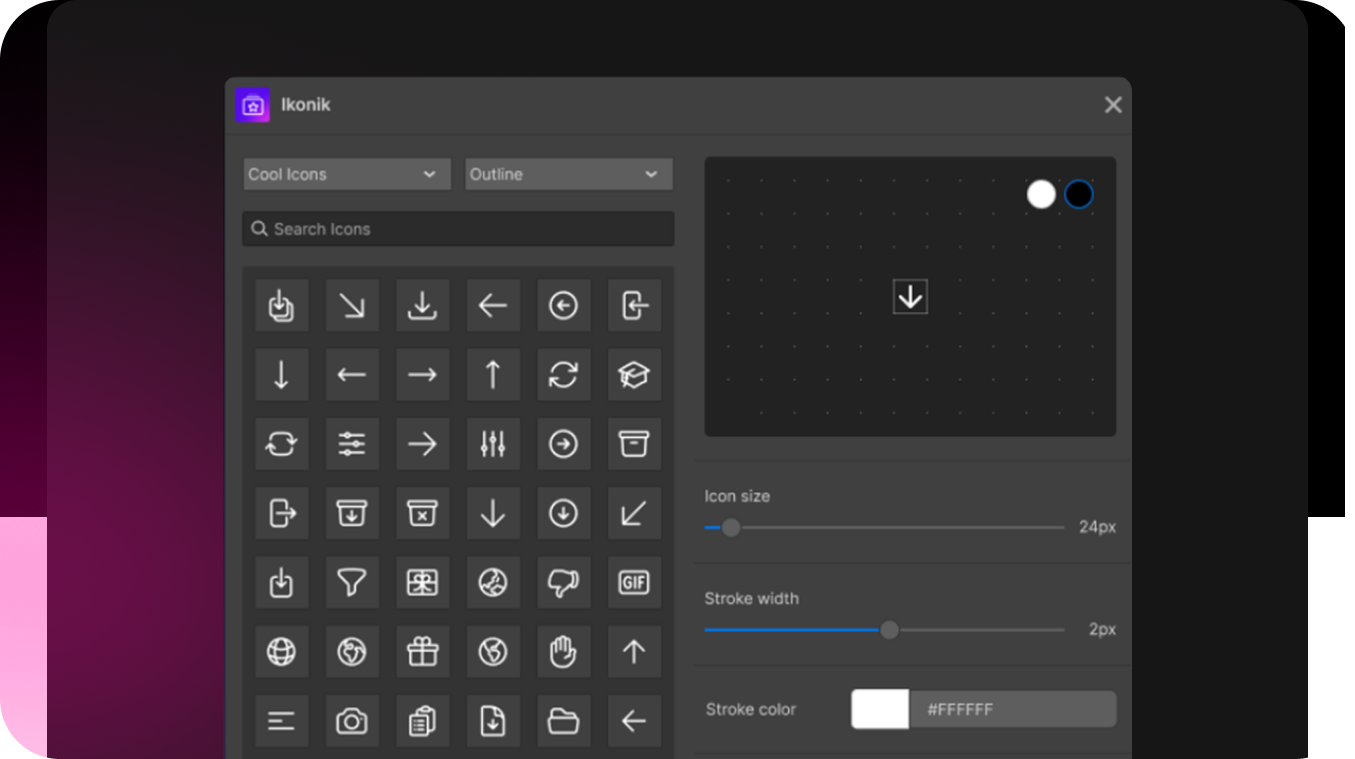
If you are looking for icons to use in your Webflow website, and can’t find anything. I have the perfect solution for you; Ikonik. It’s an open-source platform that has 50k plus icons which are grouped into 45 categories.
Here are some features of Ikonik that I absolutely loved:
Honestly, I loved everything about this plugin.
Pricing: FREE
My Rating: 5 stars
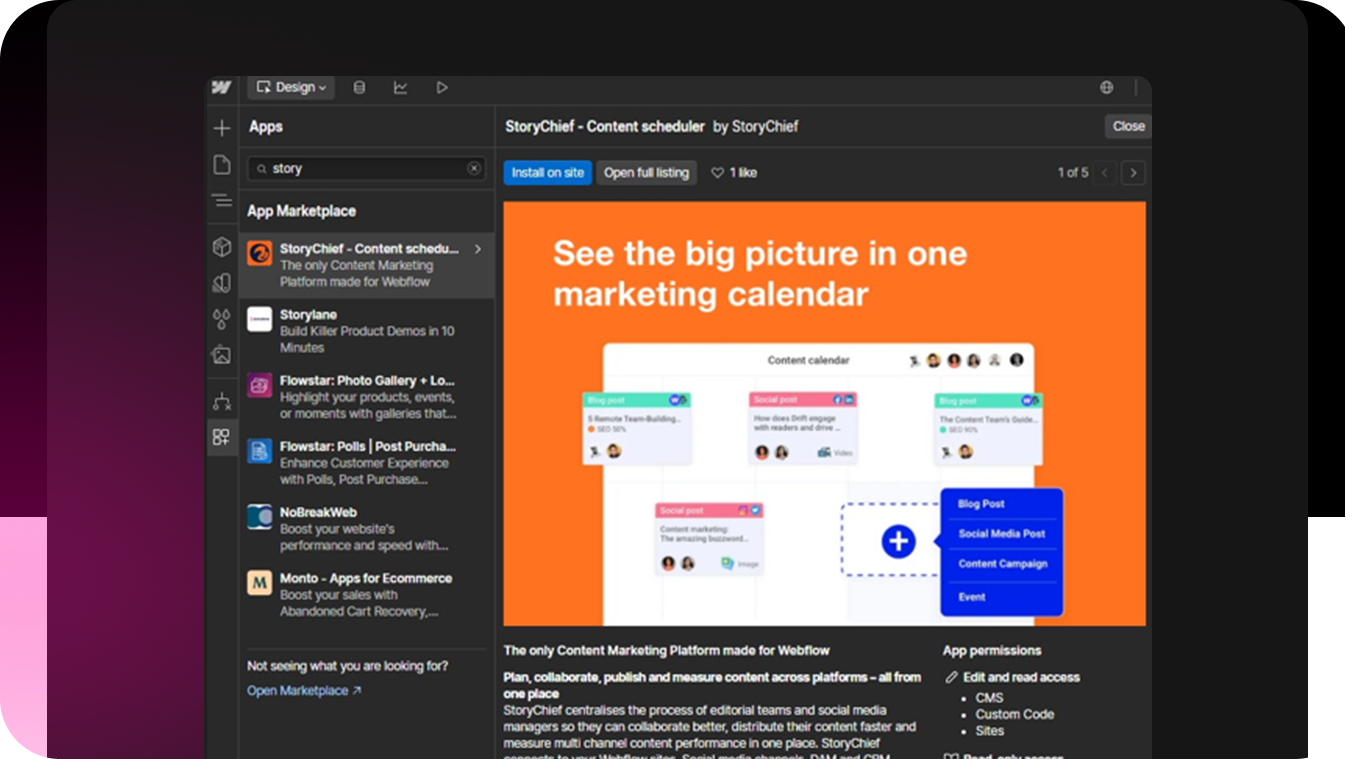
StoryChief is a content marketing plugin for Webflow. I was able to do this across multiple platforms. StoryChief uses AI to help improve the time it takes to create and publish content.
Pricing: Starts from $6/user/month
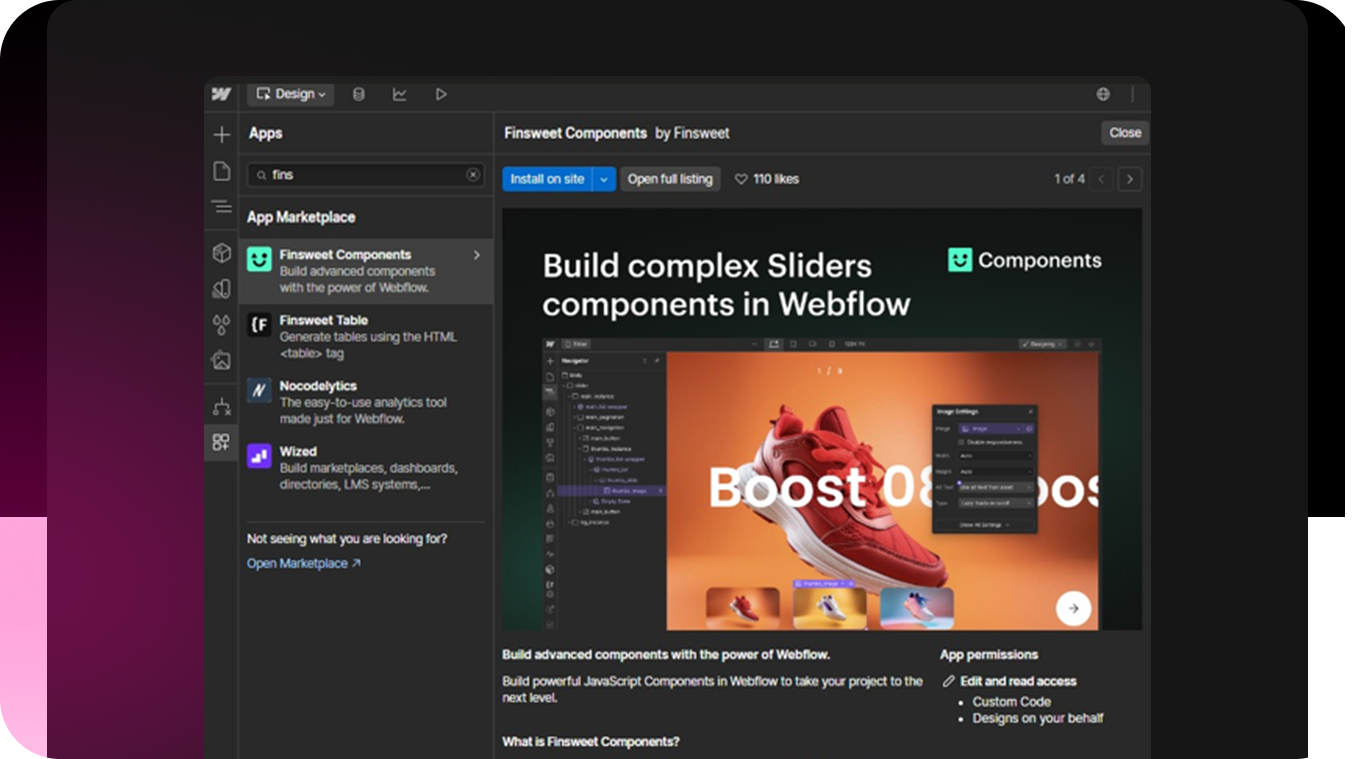
Finsweet offers solutions such as CMS Library and Attributes. I didn’t need to go through HTML/CSS to use this plugin, as it’s pretty straightforward to use. It has been a premier Webflow partner since 2017 and provides support in multiple languages such as Spanish, Portuguese, Polish, and many more.
Pricing: If your project has one or two Components, the pricing starts from $5/per domain/per month.
My Rating: 4.3 stars
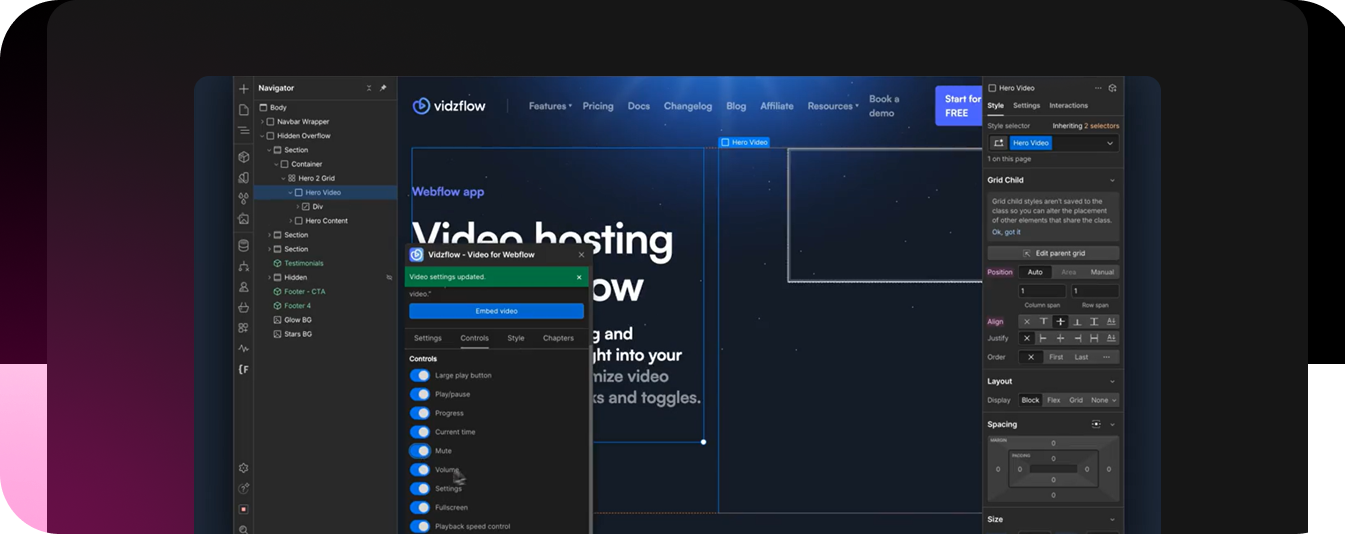
In today’s world where a user’s attention span is low, video content is what drives engagement. With Vidzflow, I embedded customizable video players on my Webflow website. This helped improve user retention by almost 20%.
Pricing: I used the free plan. However, its pricing ranges from $9/month to $39/month.
My Rating: 4.3 stars
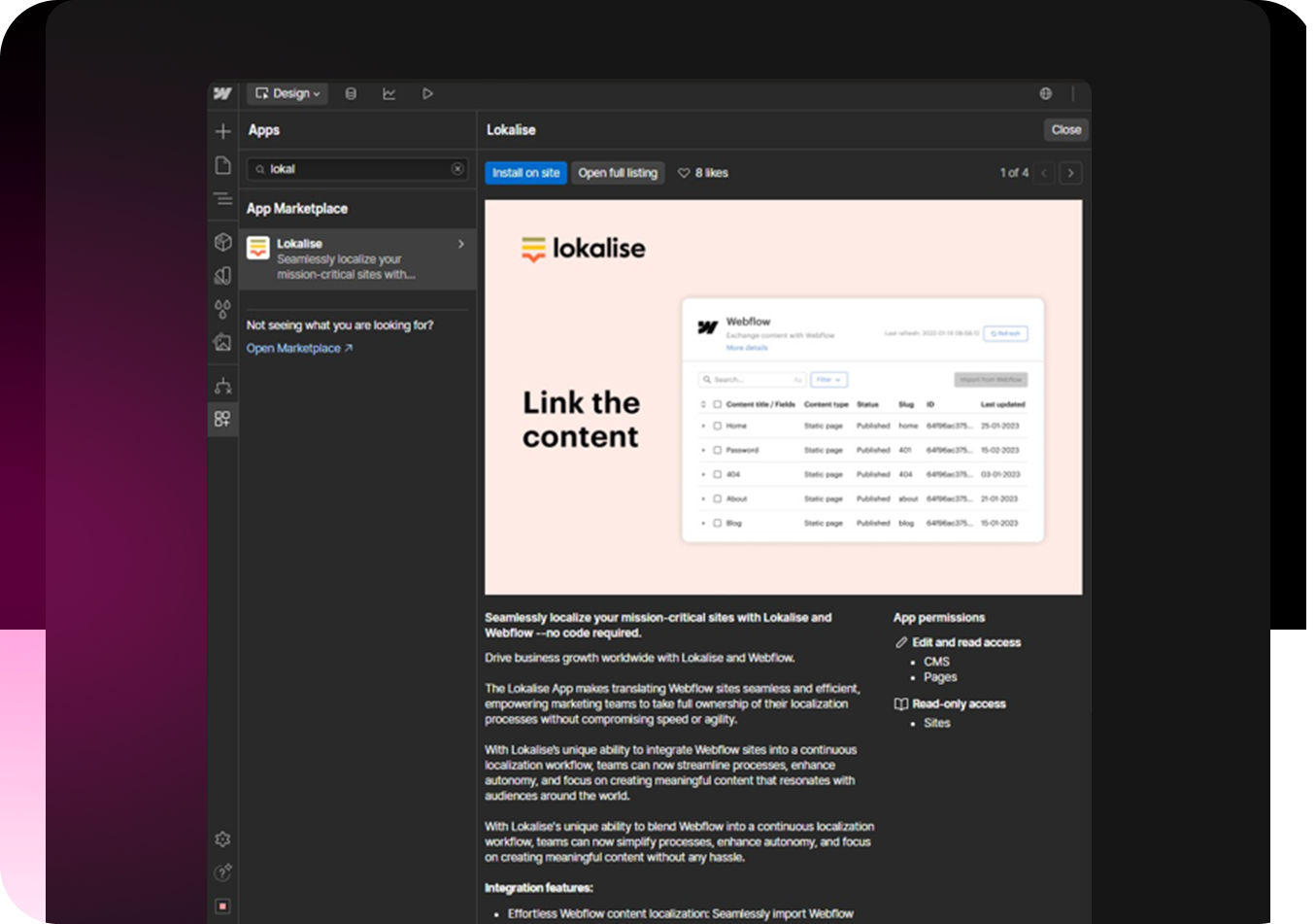
As business is expanding and entering regions where English is not the first language. A website should be able to translate as per the users’ preferences and that’s exactly what Lokalise does. For example, if the website is being seen in Berlin, the language would automatically change to German.
Pricing: It starts from $140/month (monthly plan with 10 seats included) and goes upto $990/month (which includes 15 seats).
My Rating: 4 stars
Here are my top 6 recommendations, each comes with its set of pros and cons. So, I would recommend you to go over your business needs.
Understand your audience, and what they want and then choose which is the best webflow plugin you can integrate with your website.
Yes, Webflow has plugins that you can integrate with your website. Although, no coding is required but you would need customizations to add that personal touch to the website. This helps improve user engagement.
You can integrate Webflow with more than 5000 plugins such as:
Yes, Webflow has SEO plugins. Plugins such as StoryChief can optimize content as per Google’s SERP.

Imagine this, you’re building out a new website, your agency just delivered, and SEO isn’t in the scope you decided on.
Once the website is designed and developed, what’s the next step?
It’s making sure that the SEO metrics are all aligned and measured regularly, but before we hop on the tracking aspect, let’s first understand what metrics you need to be tracking.
SEO checklist for new website, that you should be implementing as soon as your site goes live.
.png)
If you are interested in monitoring your website’s search engine performance, setting up a Google Search Console will help you do just that.
As part of your SEO checklist for new website, here are the steps you need to follow:
Create an Account on Google Search Console➡️Add Website Property➡️ Verify Website Ownership➡️Submit Sitemap ➡️Monitor Indexing and Performance
A robot.txt file gives instructions to crawlers about which sections of the website they should access and which ones not to access.
.png)
For example, if there are two ‘Contact Us’ pages, one with updated information and the other with old data. You wouldn’t want the latter to be indexed, as it would lead to confusion amongst your target audience.
Open Text Editor ➡️Define User Agents ➡️Use Allow and Disallow Directives➡️ Add Sitemap Location
Once you have created a robot.txt file, upload it to the root directory of your website. This file would be accessible via /robots.txt.
.png)
A mobile-friendly website is crucial for a smooth user experience and inevitably rankings. You can check your website’s mobile friendliness through free tools available online.
This gives you insight into how your page looks to people viewing your website from their phones.
Following an SEO checklist for a new website ensures that your site is mobile-friendly, improving user experience and search rankings.
.png)
.png)
For this, you can use PageSpeed Insights. It will help you understand the website’s loading speed and how well it’s performing.
This tool evaluates your website’s loading speed, identifies performance bottlenecks, and provides actionable recommendations, key steps in any SEO checklist for a new website.
The performance is divided into two sections; Mobile and Desktop.
It is ranked on different factors such as:
.png)
An SSL Certificate verifies the authenticity of your website and makes sure that the visitors’ information is protected.
Choose the Right SSL Certificate ➡️ Generating a Certificate Signing Request ➡️Install SSL Certificate on Server ➡️Restart Apache ➡️ Redirecting HTTP to HTTPS➡️ Update Links on the Website.
.png)
Installing an SSL certificate on your website showcases your company as one that can be trusted by brands. And internally, it can also help you protect against cyber threats.
.png)
If a webpage that was previously available is no longer accessible, it means that a 404 error has occurred.
It can happen due to multiple reasons such as a change of URLs, or alteration to website structure.
Identify Broken Links➡️What Might Have Caused This➡️Updating Internal and External Links➡️Setting up Redirects
For this purpose, you can use tools such as Ahrefs (specifically the Site Audit option).
.png)
Canonical tags are HTML elements that help search engines understand which version of a webpage should be considered the primary source.
For example, two similar pages exist, such as:

Add a canonical tag to help the search engine identify which one is the correct version.
To add Canonical Tags to your website, simply input this line of code:
.png)
And if you are using any CMS platform such as WordPress, you can simply use built-in settings or plugins to use Canonical Tags.
Pro Tip: You can use tools such as Screaming Frog SEO Spider to help identify duplicate content and revise any incorrect canonical tags.
Schema markup is a standardized format used to provide search engines with additional context about a website’s content.
It helps search engines understand the relationships between different elements on a page, which improves search visibility and can lead to relevant search results.
Identify the Relevant Schema Type➡️Generate JSON-LD Code ➡️ Implement the Schema Markup➡️Validate the Schema Markup
.png)
.png)
Before you begin writing your blogs or content for your landing page, keyword research is important.
See what keywords your competitors are ranking on, and target ones that are relevant to your business offerings.
If you are running a SaaS company, that’s similar to Salesforce, here’s how your keyword research would look like through Ahrefs.
Pro Tip: Target the keywords that have a low ‘Keyword Difficulty’, this will make it easier for your business to rank on Google.
Write compelling and keyword-rich title tags and meta descriptions.
The former should be under 60 characters, whereas the latter should be about 150 characters long.
.png)
.png)
Pro Tip: You can use tools such as Detailed SEO, to see how Google sees those title tags and meta descriptions you wrote. This will help you make any changes if necessary.
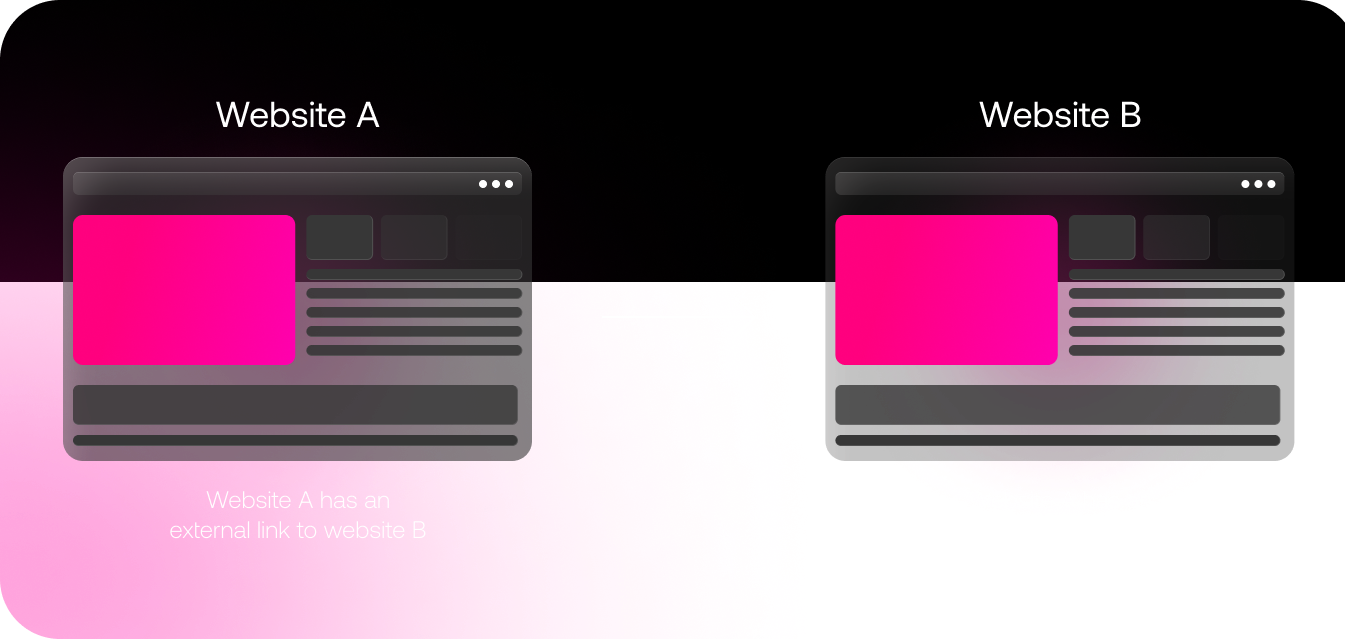
Adding links to your website, both internal and external, is important if you want to ensure that it ranks on Google.
If your blogs are linked to your Service page, it becomes easier for the user to navigate through your website. It helps streamline the user’s journey.
Whereas, if you write a blog and quote different sources or industry experts, that’s called external linking. Any link that doesn’t redirect back to your website is classified as such.
Pro Tip: When publishing, make sure that all the internal links are do-follow whereas all the external links are no-follow. You don’t want to give your traffic to your competitors.
Off-page SEO focuses on activities that take place outside your website.
.png)
When establishing your brand as an authoritative, you need posts not only published on your website, but also in online magazines. This is called guest posting.
It can help boost relationships with like-minded businesses.
For backlinks, you can acquire them by answering journalist’s queries and requests.
When reading your response to a query, the journalist will see you as an authoritative figure to comment on. And in exchange, would link your website to the blog they are writing.
Pro Tip: To get relevant backlinks, use platforms such as Qwoted. You can see the journalist and magazine you’re pitching content to.
.png)
About 5.07 billion people use social media to engage with customers and understand more about their target audience.
For different platforms, your brand needs to have a different tone, here are some examples:
Being active on social media platforms will help you build a community and become a name that people can trust.
Pro Tip: You can use Canva to design posts, CapCut to edit videos, and ChatGPT for descriptions and post captions. Once the post is ready, you can use a scheduling tool such as SproutSocial.
Now that you’re at the end, wondering
“How are we supposed to implement all of the above, continuously monitor performance, keep an eye out for issues and resolve them, and repeat this every month”
Well, there’s a solution.
Working with an SEO agency. This agency would help you implement all of the above and make sure that your website is performing well on all metrics.
.png)
So, we recently created a job post for a developer to help create my website. The expectation was north of $130k/year, and that doesn’t include benefits such as health insurance and subscription to wellness programs.
The calculations were going all crazy in my head…so I decided to ditch that idea and go towards a Content Management System (CMS) platform. I talked to a few friends and the opinion was divided; one side favored WordPress and the other went with Webflow.
Which one should I choose?
.png)
When we created a Webflow account, there was a short survey in the beginning. I answered that with little to no knowledge of HTML/CSS. And to my surprise, the tutorial that I was shown next was catered to my understanding of the platform.
This indicates that I don’t need to be a pro-coder to create a website on Webflow. There’s also an AI Learning Assistant and Webflow University documentation to help me get comfortable with the platform.
.png)
On the other hand, WordPress is a bit back and forth. Here’s how not-so-user-friendly WordPress is:
Rating
Verdict: Webflow Wins
.png)
Webflow offers a pretty vast level of customization, especially for a non-developer like myself. I always wanted a visually appealing website with little to no restrictions on customizations.
On the other hand, WordPress is a CMS platform where I would need to hire a developer if I want any sort of customization (such as adding dynamic pages).
.png)
Choice of Templates?
I did notice that WordPress has over 13,000 templates, but these would only help create a static website (which basically has no interactive pages).
.png)
Webflow falls behind in this one, with only 6000 templates. This is because there are fewer contribution options from the community. But that’s okay given just how much newer it is than WordPress.
The more the merrier, isn’t always true.
Verdict: Webflow Wins
I have an in-house marketing team. And I gave them access to both Webflow and WordPress and was interested in what they had to say.
Marcus (Content Lead): I used both Webflow and WordPress for a week. For the former, every time I wanted to add a writer to edit the content, I was prompted to pay for the limited seat, which was $15/user/month.
Whereas for WordPress, the edit access was limited. If I was making changes, then no other person could simultaneously edit the doc. Webflow wins (if you have a small writers’ team).
Ann (SEO Manager): Webflow generates sitemaps which makes it easier for me to index the website. WordPress can be optimized through plugins such as Rank Math and Yoast SEO.
On WordPress, everything comes down to the plugins you use, this is not the case for Webflow. But without plugins, WordPress isn’t of much use. Webflow Wins.
P.S. I downloaded apps from the marketplace that would help me write SEO-optimized content.
.png)
Here’s an average rating from both Marcus and Ann:
Verdict: Webflow Wins
One of the most important aspects that I considered when ranking both WordPress and Webflow was security.
Like if my site goes live, how likely is it that it’ll be hacked or abused by the competition?
Here are some questions I had and how each fared against different security factors.
Ranking:
Verdict: Webflow Wins
.png)
I work with clients from different niches, and e-commerce clients make up 20% of my total customer base.
So when they are in the onboarding stage, I need to figure out which platform works for them and us. The purpose is to give them optimization while also improving productivity.
I compared both Webflow vs WordPress, keeping in mind the requirements of an ecommerce store.
.png)
This is what the backend of an ecommerce store looks like on WordPress
Ranking:
Verdict: WordPress Wins
In this Webflow vs WordPress, I downloaded a free template of the latter and started working on my website.
But to make the website functional (like posting blogs and making sure it’s SEO-optimized) I purchased $2.99/month, keeping costs at a minimum. And for WooCommerce, it was $4.99/month.
For Webflow, I purchased the $14/month plan. This way I was able to connect it to my website’s domain which help in brand awareness and makes it professional. For the e-commerce store, I purchased the $29/month plan.
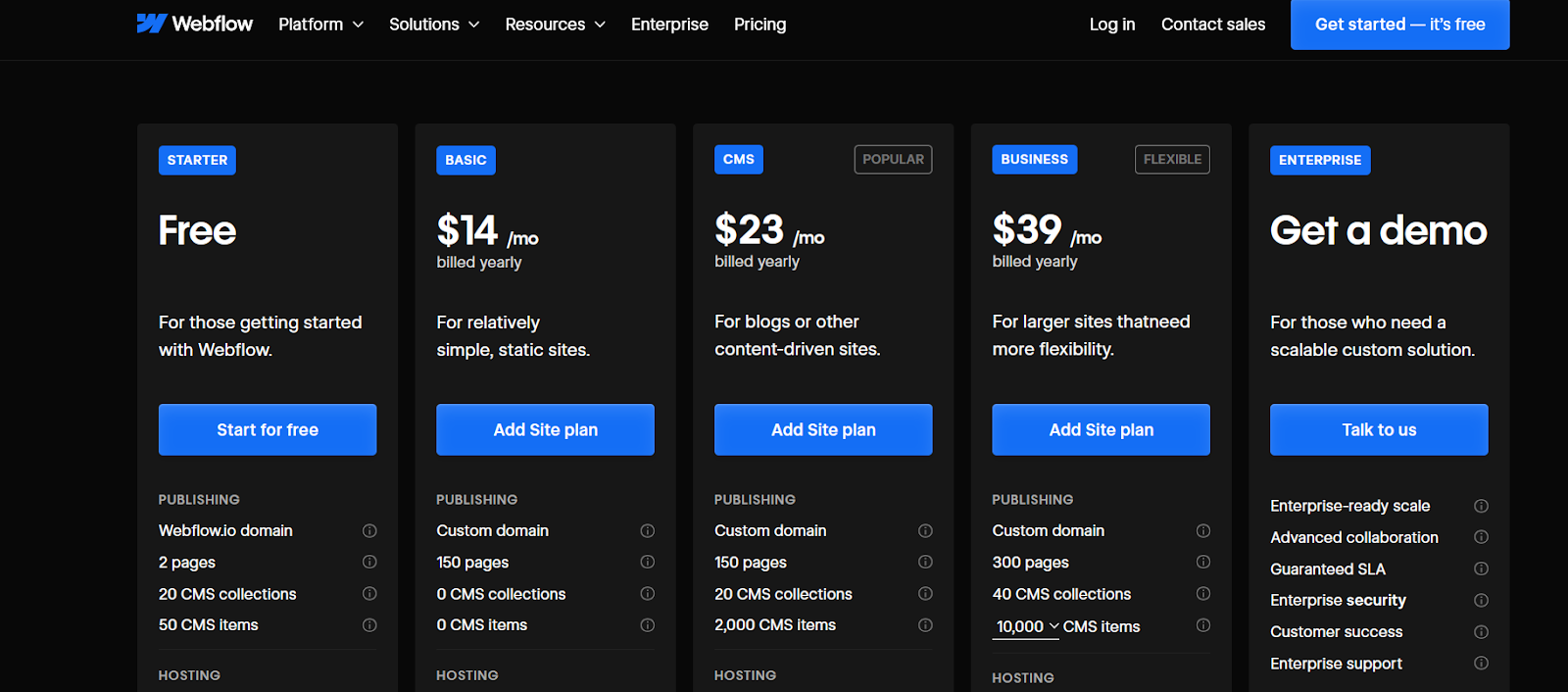
Rating
Verdict: WordPress Wins
In this Webflow vs WordPress, I found that Webflow was a better platform as compared to WordPress. Here’s the total score of each platform:
So if you are a business such as mine, focused on growth with a few e-commerce clients, I would recommend opting for Webflow.
Yes, Webflow is better than WordPress. The former is a no-code solution that has a user-friendly interface. Whereas, WordPress has a steep learning curve and is completely reliant upon third-party plugins which is not a secure option.
If you want your website to have a creative outlook then consider switching to Webflow. You can customize your website, as you please without any kind of roadblocks.
Yes, Webflow is considered a good alternative to WordPress. Think of it as a canvas where you can paint anything and everything you want when you are designing a website.
Your business is moving into 2025 and still doesn’t have a website (or worse a website that breaks with just a click). It’s time for you to upgrade.
For example, if you run a bakery in Colorado and want to expand to nationwide deliveries. You can hire an in-house website development team in the USA, here’s how much it would cost you:
When you’re pouring close to 20K a month into web development team, you want the best, and you most definitely don’t want them dragged down by your choice of web development platform. The decision between Webflow and Wix, and choosing the right platform for your website could be the deciding factor between a good website and a GREAT website.
So, you can either pay $20k plus a month while running the risk of multiple revisions, extended back and forth, or outsource your website to an agency. This will significantly reduce costs and ensure that you stay within your budget.
Both Webflow and Wix would be judged based on the following metrics. Each metric would be assigned a score from 1 to 5 (1 being the worst and 5 being the best) for both Wix and Webflow:
Both Webflow and Wix allow you to tweak your website’s URL structure. This is an important factor to consider if you have SEO plans going into 2025. If you opt for Webflow, you will have the freedom to play around with the URL structure for individual pages, whereas this is not the case for Wix.
With Wix, you can edit the end part of the URL but not specifically the product pages or blog pages. For example, if you are writing a blog on the topic
“Webflow Vs Wix”
Webflow would allow you to create a URL that reads something like this /webflowvswix. This means better for SEO and improved traffic.
.png)
Verdict: Webflow wins this round!
.png)
Webflow has efficient and organized code. This means that the loading time is much faster than its counterpart. The platform has Semantic HTML5, which means that it provides a clearer understanding to the search engine what the intent is.
With Webflow, you can customize the following:
On the other hand, Wix can help get your foot out of the door for SEO and performance. But as you add more features and media, you may notice that the website has trouble loading. If you want customizations…Webflow is the answer.
Verdict: Webflow wins this round
About 60% of a website’s traffic comes from mobile devices. When choosing a platform, make sure that it’s optimized for mobile devices. Even Google crawls through your website’s mobile version first before indexing.
Wix has limited design and layout options as compared to Webflow. This means a website optimized for Android, might not be the same for iOS. Webflow allows you to customize screen layouts for different devices, including tablets.
Verdict: Webflow is on a winning streak!
.png)
Both Webflow and Wix offer hosting services, the pricing depends on the project’s scope and what are the requirements for your business. The good thing is that you don’t need a separate hosting provider such as Namecheap. Like everything from hosting to website development can be done on one platform.
However, Webflow might seem a tad bit more expensive than Wix but the features and customizations it offers (as discussed above) make it worth your while. The platform also offers additional features as compared to Wix such as automatic backups and automatic CDNs.
Verdict: This round is a draw!
In this fight of Webflow Vs Wix, one key metric to consider is integrations. How well the platform integrates with the plugins and extensions. Since Wix has limitations on customizations, you could only integrate the platform with available extensions. That’s however not the case with Webflow.
In this race of Webflow vs Wix, the former has its own code embeds and APIs. It makes Webflow a platform that’s focused more on developers’ requirements. This means that you can link your website to literally any third-party service provider, giving you the much-needed flexibility. If your website requires complex and niche extensions, Webflow would be able to handle that.
Verdict: Webflow wins this round!
.png)
Here are some examples of websites that use Webflow to help scale their operations. We have analyzed two factors here, loading times and the organic traffic of websites. This serves as a stress test for the website and questions its reliability.
Here are some websites that are built using Wix. How do they fare to the Webflow ones mentioned above.
Analysis: The websites developed with Webflow have higher traffic than Wix ones. This can be due to the factor that SEO is better with Webflow. As the traffic is in 100 thousand and even millions, the loading times are high compared to websites developed with Wix that have traffic in the thousands.
When choosing a Webflow agency, make sure that you have discussed your expectations with them. The best way to do this keeping open communication and keeping the agency updated on the project delivery deadlines.
Have a discussion with an agency such as Buzz Interactive and discuss everything from what you want the design to be to how you expect it to be executed. I would recommend going through the Webflow agency’s portfolio and understanding the projects that they have worked on before. This will allow you to make a wise investment decision.
Before picking out a Webflow agency, understand the services that they offer and how they can be helpful to you. Here are some services that you should keep an eye out for:
So I would suggest that you carefully understand your business needs and then opt for a Webflow agency accordingly.
Creating an engaging website is something that every Webflow agency can do, but post-launch support is something that many agencies fall short in. Choose an agency that has the experience and expertise to handle technical requirements once the website is live.
For example, you may need help with optimizing web pages and making sure that the site doesn’t break. If a site breaks when a customer is trying to reach you that means that the lead is lost and creates a bad reputation for your business in the market. So when choosing a Webflow agency be mindful and consider these factors.
.png)
We have discussed Webflow vs Wix and what each offers, what’s right for your business, and how you should choose an agency.
I would recommend opting for Buzz Interactive, a Webflow agency based in Virginia that has been helping businesses create websites on Webflow for more than 5 years.
Get in touch with the team at Buzz Interactive and they will assist you in not only making your website visually appealing but also functional.
We compared Webflow and Wix on 5 metrics, out of which on 4 factors Webflow was better than Wix.
Webflow is best for businesses that need a high level of personalization in website design without needing to code.
Yes, as Webflow allows for customization in the meta tags and URL structure its a better option if your focus is SEO.
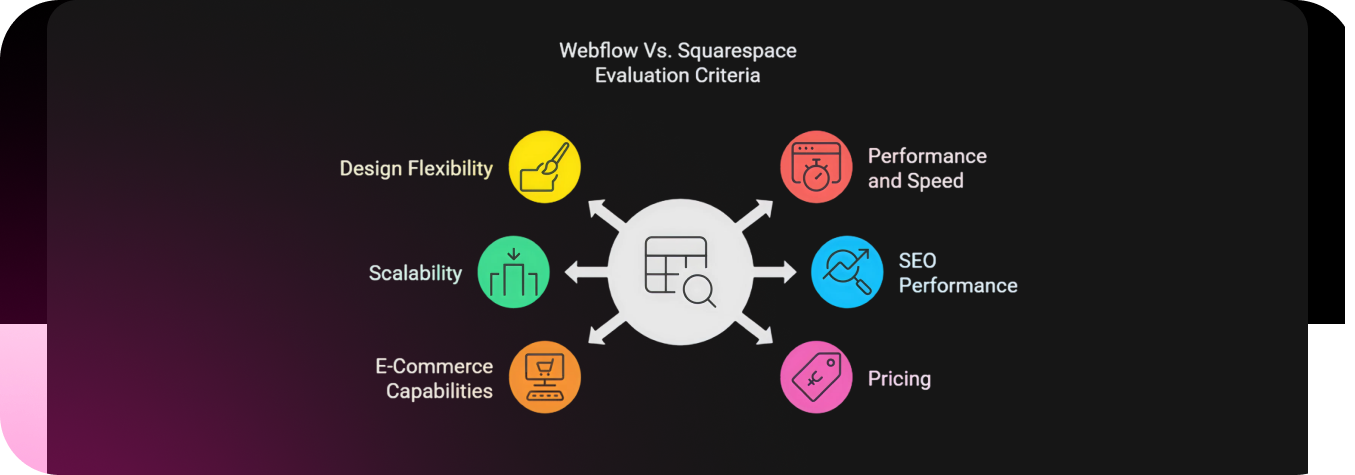
Explore Squarespace vs. Webflow and how each differs in terms of pricing and flexibility.
“We have been running an offline business, but now as times are changing, we think it’s time to adopt in terms of establishing our brand’s digital presence. Some business owners suggested Webflow while others recommended Squarespace, which one should we choose”
A prospective lead commented on our LinkedIn post.
Getting back to them in the comment section would have been back and forth with no real solution in the end.
So, we figured, why not write a blog on this topic?
.png)
Webflow’s database offers 2,000+ templates (1,000+ free and paid, plus third-party options that developers can take advantage of).
.png)
.png)
Squarespace has 180+ pre-designed templates (which is significantly less than Webflow). These are split into different categories such as ‘Art and Design’, ‘Entertainment’, and ‘Events’
.png)
.png)
Note: Unlike Webflow, Squarespace doesn’t offer advanced optimization tools that businesses can take advantage of.
.png)
Webflow is designed to accommodate growing businesses:
.png)
Squarespace is the best option for you if you are running a small business with minimal chances of growth. Here’s what Squarespace offers:
.png)
Webflow provides robust SEO capabilities:
.png)
Squarespace offers essential SEO tools:
.png)
.png)
.png)
.png)
.png)
.png)
Squarespace offers a 14-day free trial. This website builder is aimed at small businesses that are looking for a digital presence.
.png)
.png)
Squarespace uses AI to help you build websites in just a day. The design can be customized, but there are limited options for you to make any desired changes.
All you need to do is type out your brand name along with the colors and voice that you want the content to have.
In this Webflow vs. Squarespace, the former has taken the lead and has been declared the winner.
But working with Webflow comes with a steep learning curve, which means you would spend more time learning than implementing.
So, what’s the solution?
Working with a Webflow agency, that will handle customizations and help create your brand identity.
.png)
Over 26% of small businesses struggle with selecting the right eCommerce platform.
Meet Jane (one of those from the 26%)
She’s a business owner, who spent weeks with her team, designing the website, only to realize it wasn’t attracting customers.
She knew she needed an online store but felt stuck choosing between Webflow and Shopify.
Choosing the wrong one could mean wasted time, money, and lost sales. So, which platform is the right fit?
Let’s help Jane by making it easier to decide between Webflow vs. Shopify.
.png)
Webflow is a web design tool that features a CMS and a hosting platform. It helps businesses create user-friendly and responsive websites.
.png)
Shopify is specifically meant for e-commerce platform businesses who are looking to run an online store. This platform also offers hosting services which businesses can take advantage of.
Webflow does not provide a guided onboarding process specifically for e-commerce. You start with a blank canvas or a template.
This means you need to manually design your store layout. A Webflow design agency can help you with that.
You would be manually required set up the navigation, product pages, and checkout flow.
This helps differentiate your brand from the competition, which means more clicks and eventually an increase in conversions.
Webflow provides hosting but requires a separate setup for custom domains.
You must configure your own SSL certificate and site settings for security.
.png)
Webflow supports only Stripe and PayPal, meaning fewer payment options compared to Shopify. You must manually configure Stripe to accept payments.
.png)
Webflow does not have a built-in app store like Shopify, meaning you have to rely on third-party integrations via Zapier or APIs, which takes more time and technical knowledge.
Shopify provides a setup wizard that guides you through the entire process, from creating an account to adding products and setting up payments.
.png)
In this Webflow vs. Shopify debate, the latter offers over 100 free and paid themes that are mobile-responsive and ready to use.
You can select a theme, add a logo, customize colors, and launch your store.
This however may sound easier option but lacks customization, meaning your store would look like any other.
.png)
Shopify’s App Store allows you to integrate third-party tools with one click. Whether it’s payment gateways, marketing tools, or dropshipping apps, everything is just a click away.
Shopify includes hosting and security in its pricing, meaning you don’t have to worry about technical configurations like SSL certificates or server setup.
Shopify also optimizes speed and performance automatically.
.png)
.png)
.png)
.png)
.png)
.png)
.png)
.png)
.png)
.png)
.png)
.png)
.png)
These plans are required if you want to create an online store with Webflow.
In this Webflow vs. Shopify, it’s important to consider the main purpose of the website. Webflow is a great choice for those who prioritize brand design and content marketing for their online store.
On the other hand, Shopify is the best option for those who are focused purely on growing an e-commerce business.
It offers powerful sales tools, including features for dropshipping and subscriptions, making it ideal for businesses that need advanced selling capabilities that require little to no customizations.
.png)
.png "Glossy pink circular icon with letter W")
Businesses lose up to 35% of their leads due to poor UX design.
Factor that in with how difficult it is to gain leads in the first place, and you're basically setting money on fire.
But creating a website that truly represents your brand and drives business growth isn't easy.
This is where hiring a top Webflow agency can make all the difference. With their expertise, you can transform your online presence into a powerful marketing tool. In this article, we spotlight the best Webflow agencies in the US that can elevate your website to the next level.
Not all Webflow agencies are created equal.
Some will think this is a good website:

The best webflow agencies will combine technical expertise with a deep understanding of your business goals. Here’s what you should look for when choosing the right Webflow agency:
These factors ensure that your Webflow agency isn’t just building websites—they’re creating digital experiences that drive your growth and customer engagement.
Related: What is Good Website Design?

Baton Rouge, LA
Overall Score: 3.75
ThreeSixtyEight excels at brand storytelling and creative campaigns. Their expertise in design and project management is notable, but their focus on branding sometimes limits advanced technical implementations and SEO-specific projects.
What They Do Well:
Highlight Clients: Visit Baton Rouge, Pepsi, Blue Cross Blue Shield
Insight: If you want a brand-focused Webflow website with a creative edge, ThreeSixtyEight stands out.

New York, NY
Overall Score: 4.88
Refokus stands out with visually stunning, award-winning websites. Their technical prowess, client satisfaction, and consistent industry recognition make them a top choice for premium Webflow projects.
What They Do Well:
Highlight Clients: Webflow, Airtable, Hotjar
Insight: Best suited for companies looking for visually stunning, award-worthy websites.

Los Angeles, CA
Overall Score: 3.88
SVZ Design is a reliable choice for long-term projects that require brand-driven production. While they deliver solid design and technical quality, some projects may experience slower turnarounds due to their comprehensive service approach.
What They Do Well:
Highlight Clients: Google, Spotify, Netflix
Insight: Choose SVZ Design if you want a dedicated partner for continuous web development.

San Francisco, CA
Overall Score: 4.50
Amply specializes in creating scalable B2B websites with exceptional technical integration. Their expertise in custom design and marketing-driven projects sets them apart, though occasional budget considerations affect their value-for-money rating.
What They Do Well:
Highlight Clients: Salesforce, Slack, HubSpot
Insight: Perfect for B2B companies needing marketing-driven web development.

Stockton, CA
Overall Score: 5.00
Flow Ninja delivers a flawless balance of design, technical expertise, and client service. Their high-profile portfolio and consistent success in complex projects make them an industry leader with unmatched ratings.
What They Do Well:
Highlight Clients: Meta, Twitch, TechCrunch
Insight: Ideal for businesses requiring technically complex and scalable Webflow websites.
Jersey City, NJ
Finsweet excels in Webflow development with deep technical integrations and complex projects. Their strong focus on technical customizations and automation makes them ideal for advanced enterprise needs.
What They Do Well:
Highlight Clients: Postmates, Shopify, Techstars
Insight: If your project needs extensive customization, Finsweet is the go-to.

Atlanta, GA
Overall Score: 4.00
Edgar Allan combines creative storytelling with app development and branding. While their creative and design approach is strong, complex technical implementations and SEO performance may be less robust.
What They Do Well:
Highlight Clients: Mailchimp, Squarespace, Amazon
Insight: Great for businesses looking for both web design and application development.

San Diego, CA
Overall Score: 4.75
Flowout is known for its fast project turnaround and subscription-based development model. They consistently deliver high-quality projects with a focus on scalability and performance optimization.
What They Do Well:
Highlight Clients: Canva, Adobe, Asana
Insight: A top pick if you need continuous web updates with a predictable budget.

New York, NY
Overall Score: 4.25
Creative Corner Studio excels at combining web design with marketing campaigns. They are a great fit for businesses looking for an all-in-one creative and digital marketing solution.
What They Do Well:
Highlight Clients: Coca-Cola, Nike, Microsoft
Insight: Best for businesses looking to combine web design with marketing strategies.

New York, NY
Overall Score: 4.40
Superside is a reliable, all-in-one design and development partner. Their scalable creative production makes them an excellent fit for growing businesses needing continuous creative support, but also positions them a little lower than dedicated webflow development agencies.
What They Do Well:
Highlight Clients: Amazon, Spotify, LinkedIn
Insight: Perfect for businesses looking for a one-stop-shop for complete web solutions.
Choosing the right Webflow agency can be the difference between a successful online presence and a digital project that falls flat. Here’s how to make the best choice for your business:
Working with a US-based Webflow agency offers several advantages that can directly impact your project’s success:
By partnering with a US-based Webflow agency, you gain a trusted digital partner committed to delivering results that align with your business goals.
Yes, many big companies use Webflow for their websites, including major brands like Dropbox, Dell, and Upwork. Webflow's scalability and design flexibility make it a top choice for enterprises looking to deliver modern and interactive web experiences.
Absolutely. Creative agencies worldwide use Webflow to design and develop high-performing, visually stunning websites for clients. The platform's no-code approach and powerful CMS enable agencies to build faster and deliver custom solutions.
Yes, Webflow is in high demand as more businesses seek visually appealing, responsive websites without relying on traditional code-heavy development. Its ease of use, combined with advanced design capabilities, has made it a go-to platform for web designers and developers.
Yes, companies actively hire Webflow developers to create, manage, and scale their websites. Skilled Webflow developers are valued for their ability to build custom websites that prioritize user experience, responsiveness, and performance.
Investing in a professional Webflow agency can elevate your brand and provide long-term business growth. The agencies highlighted in this article have proven track records, creative expertise, and a commitment to driving results.
Whether you're looking for advanced technical integrations, innovative designs, or scalable digital solutions, the right Webflow partner can turn your vision into reality.
Take the next step—review these agencies, reach out, and transform your online presence today.
.png "Glossy pink tag icon featuring question mark")
“How much does a website really cost?”
That’s the question a prospect recently hit us with—no fluff, no room to dodge. Just a straight-up ask: “Give me the real numbers, not vague answers.”
So instead of tossing back a quick reply, we put together this guide. It breaks down everything—from DIY site builders to hiring an agency—so you can understand what you’re paying for and where your money actually goes in 2025.
Whether you're budgeting for your first site or planning a major upgrade, this guide has you covered.
Let’s dive in.
A domain name is your company’s blueprint in the online world. You can purchase a domain name from websites such as Hostinger or Namecheap.
You can purchase the domain name that you think best represents what YOU DO!
.png)
For example: If your business does NGO and Community work, you can choose a domain name that ends with .org. This would clearly relay what you stand for.
.png)
Your web hosting plan depends on the following factors:
Pro Tip: Search your desired domain name on multiple web hosting platforms such as Namecheap, Hostinger, and GoDaddy. These hosting sites offer promotional deals throughout the year. If you’re lucky, you might get a free domain name for a year.
.png)
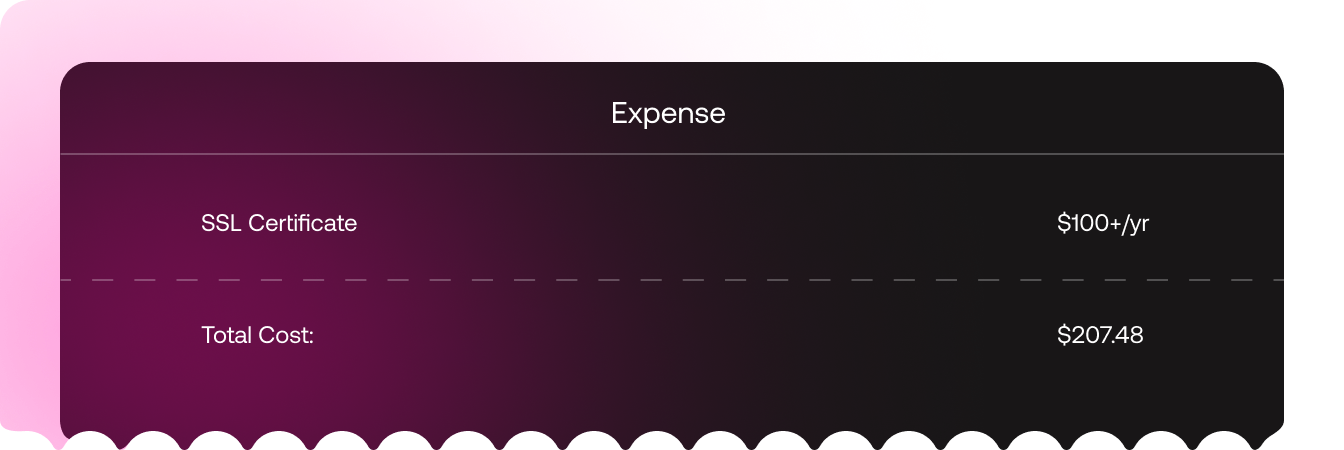
If an SSL Certificate isn’t included in the pricing plan, you would have to purchase it independently. It ensures that the data between the website and the visitor just remains between the two.
Example: If you are the Founder of a SaaS company, having an SSL certificate is crucial. It helps prevent data breaches of elements such as user data, login credentials, and even confidential project details.
Example: If you are an e-commerce store owner, people would enter their credit card details to purchase from your business. If they see that you don’t have an SSL certificate, it would alarm them, and they would think you are running a scam.
Price varies from $10 to $100 per year, and if you want a premium SSL certificate, it can cost you north of $300 per year.
Cons of Using Pre-Build Themes:
If you want to design a custom theme from scratch. You would need to look for a Web Designer. Such an individual would cost you about $3000 to $6000 per month. And this doesn’t include health and other types of insurance, which would really spike the per-month cost.
The Freelance Route: You can either design the website from scratch or sign a contract with a web designer (from either Upwork or Fiverr. They may charge you anywhere between $20 to $40 per hour (varying on the expertise and requirements).
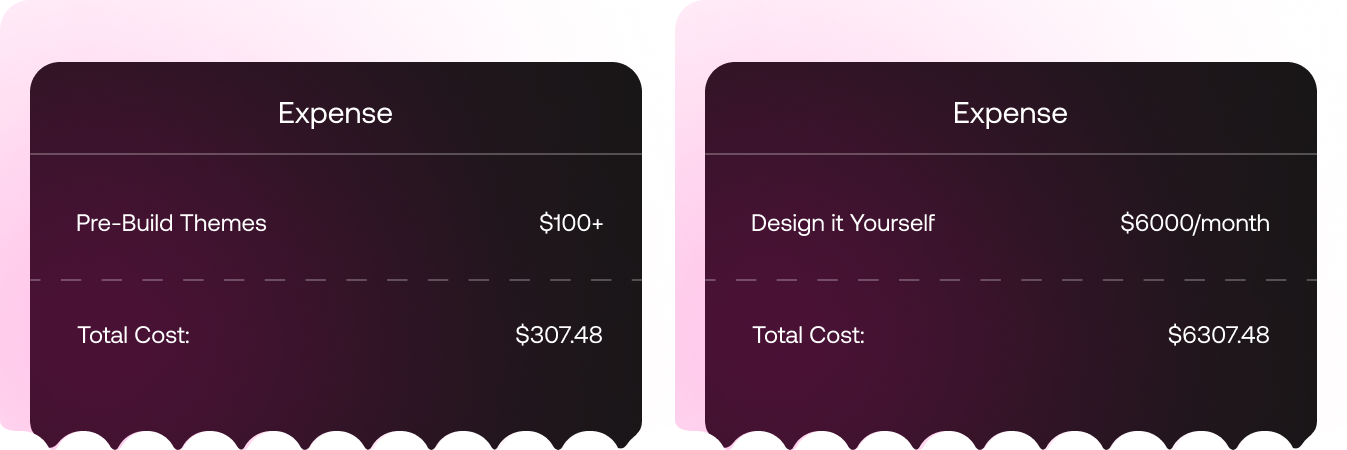
Out of the above options, creating a custom design on Webflow is the best option. Think of it as a blank canvas where you can paint with any color or brush you want. This is a step away from the generic and basic designs that are offered by other pre-build themes.
Web development decisions should be based on CMS selection as we discuss in the hosting section
Once you are done with all the prerequisites,
You have three options here:
Here are the individuals you would need to hire if you want a website designed and developed in-house.
Hire a digital agency that specializes in Webflow. Like, imagine endless customizations and SEO-optimized content that ranks on Google’s 1st page. With Webflow, you have the freedom to make customizations in design and make it pop.
Anything you want can be incorporated in the Webflow design from 3D interactive images to motion graphics, at the end of the day, your vision is being executed.
.png)
If the above costs seem a bit on the higher end, opt for a freelancer who has experience in web development. You can work with web developers whose pricing plan starts from $45/hr and can increase as you hire a more senior web developer.
Here are a few cons you should consider before hiring a freelancer:
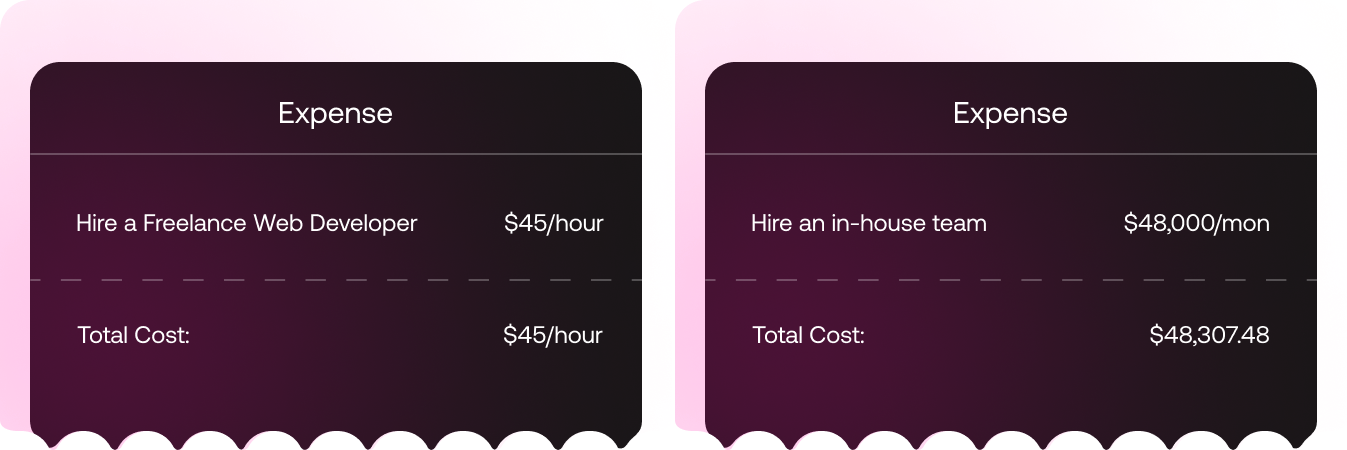
This is how much it will take to build a website in 2025. Additional costs such as website maintenance might be included, but that is covered by all of the above options.
The most budget-friendly option for different businesses is working with a Webflow agency.
How much does a website cost depends on whether you hire an in-house development/design or choose a website builder. For the former, the monthly cost would be upwards of $60,000. And if you work with a generic website provider the cost would depend on the provider (it will be low but you wouldn’t be able to do customizations).
The time it takes to build a website depends on its complexity. If it’s a simple website, it will take 50 to 100 hours whereas for a complex website that has an interactive design with multiple pages, it will take 150 to 200 hours.
.png "Glossy pink document icon featuring number nine")
We often hear this: “We want to revamp our About Us page but have no idea where to start—any suggestions?”
That question came from a SaaS team during a recent webinar, but it’s one we’ve heard from countless small businesses. Instead of sending a rushed response, we decided to put together this guide- packed with standout examples - to spark inspiration and help you craft an About Us page that truly reflects your brand.
So, without further ado, here are the best About Us pages for small businesses.
Example: A business owner wants to work with a Webflow agency, but before hitting that ‘Contact Us’ button, they would want to know more about the company and the values it stands for.
Immediately, they would click on the ‘About Us’ page and understand a bit about how the company operates, and its key stakeholders.
Data Doesn’t Lie: 59% of consumers said they would more likely purchase from a brand they trust. That number jumps to 79% of younger Gen Z consumers.
Taking Advantage: The above statistic is the reason your business should consider revamping the ‘About Us’ page. Tell your brand story in such a way that it resonates with other businesses.
.png)
.png)
Hugging Face is an open-source community where live AI model demos are uploaded.
.png)
Duolingo is a free language learning app that helps individuals learn more than 40 languages.
The lessons are prepared in a bite-sized manner, to make learning a fun experience. This website ranks among the top for the best 'About Us' pages for small businesses.
.png)
Glossier is a skincare brand. It focuses on creating makeup that justifies your skin tone and doesn’t hide your natural beauty but embraces it.
This is one of the most conscious ‘About Us’ pages for small businesses.
.png)
Oatly is a Swedish food company, that makes products from oats. This brand encourages healthy living, while also being sustainable to the environment.
.png)
Creating the best About Us pages for small businesses requires a balance between storytelling and clarity, which is greatly executed by Midjourney.
It is an independent research lab exploring new mediums of thought and expanding the imaginative powers of the human species.
.png)
Rivian manufactures long-range electric vehicles that are designed for adventure. This company makes sure that the EVs are environmentally friendly and are playing a role in reducing carbon footprint.
Businesses that focus on sustainability can take inspiration from the best About Us pages for small business, such as that of Rivian’s.
.png)
Brightcove is a secure streaming technology that allows companies to build a reliable connection with their audiences.
This video platform ensures that content can be monetized across different channels.
.png)
GIPHY is an online platform where individuals can search for, share, and create GIFs, which are short-form looping video clips. You can even upload and customize GIFS as you like.
.png)
RXBAR is a protein bar brand, known for being made with simple, real food ingredients like egg whites, nuts, and dates.
Each bar contains approximately 12g of protein and is gluten-free, promoting healthier living.
So you are inspired by one of the About Us page examples above, and are now looking for someone to implement those quirky and creative designs?
We would recommend opting for a Webflow agency. They would help create a custom website for you and ensure that it meets and goes beyond your expectations.
If you like the typography of RXBAR and the animation style of GIPHY and want to create something magical, contact Buzz Interactive.
.png)
.png "Shopping cart icon in neon pink")
“Wait—you can run an online store on Webflow?”
That’s the reaction many people have when they realize Webflow isn’t just for portfolio websites or landing pages anymore. As the no-code development movement grows and design-led brands crave more visual freedom, Webflow has stepped up with its own e-commerce solution.
But here’s the real question: Is Webflow actually good for e-commerce, or are you better off with Shopify or WooCommerce?
In this guide, we’ll break down everything you need to know — from design capabilities and integrations to scalability and who Webflow is really built for.
Whether you're a creative founder, a boutique brand, or just exploring options, this post will help you decide if Webflow is the right fit for your online store.
Webflow E-commerce is an extension of the core Webflow platform that lets you design, build, and launch online stores — all visually, without writing a single line of code. If you’re familiar with Webflow’s website builder, think of e-commerce as the same drag-and-drop design power, but with product pages, shopping carts, checkout flows, and inventory controls added to the mix.
.png)
The biggest appeal? Design freedom. Unlike rigid templates on traditional platforms, Webflow gives you pixel-level control over your storefront — no compromises on branding, layout, or UX. You’re not locked into pre-set structures, which means your store can look and feel exactly how you want.
Webflow’s e-commerce features include:
Still, it’s important to note that while Webflow covers the basics, it’s not trying to compete head-on with enterprise-grade platforms. If you’re asking, “Can you build e-commerce on Webflow?” — the answer is a confident yes. But how far you can take it depends on your store’s complexity, product count, and the features you need.
Webflow’s strength lies in one word: control. If you're the kind of brand that wants more than just a basic store — one that values storytelling, sleek visuals, and interactive experiences — Webflow gives you the creative runway to bring your vision to life. Here's what makes it stand out:
Webflow isn't just drag-and-drop — it's design-first. You have full control over every element on your site, from product grid layouts to custom animations and transitions. No templates, no limits. That makes it a favorite among designers and brands that want a truly unique storefront.
.png)
Unlike many e-commerce platforms, Webflow includes a robust content management system (CMS) and granular SEO controls. This means you can easily create blog content, landing pages, and product updates — all while optimizing for search engines right inside the platform.
Every Webflow site comes hosted on Amazon Web Services (AWS) with a global content delivery network (CDN). You get blazing-fast load times, SSL security, automatic backups, and peace of mind — without having to manage hosting yourself.
Need a subtle microinteraction on your “Add to Cart” button? Want your product pages to scroll like a story? Webflow's built-in interactions panel lets you create stunning animations natively — no JavaScript, no plugins.
Webflow plays nicely with popular services like Stripe, PayPal, Mailchimp, Memberstack, Airtable, and Zapier. So if your store needs more features like subscriptions, gated content, or email flows, you can build those in with ease.
.png)
In short, if you’re running a content-heavy, design-forward store — or you just want full control over how your shop feels — Webflow gives you that creative freedom without sacrificing performance.
As much as Webflow shines in design and flexibility, it’s not without its trade-offs — especially when you stack it against e-commerce giants like Shopify or WooCommerce. If you’re planning to scale aggressively or run a feature-rich store, here are a few limitations to keep in mind:
Out of the box, Webflow covers the basics — product pages, checkout, and order management. But it lacks native support for things like:
You can work around some of this with third-party tools like Memberstack or Stripe Billing, but it adds extra setup and cost.
Webflow is perfect for small to mid-sized stores, but if you’re planning to manage thousands of SKUs, run wholesale pricing tiers, or build complex backend workflows — you’ll quickly feel boxed in. Bulk product imports, advanced inventory management, and customer segmentation aren’t Webflow’s strong points.
Right now, Webflow only supports Stripe, PayPal, and Apple Pay (via Stripe). That works for most U.S.-based or global stores, but if you’re operating in a region with specific gateway needs, you might hit a wall.
To unlock more advanced functionality — think product reviews, live chat, loyalty programs, or advanced analytics — you’ll need to integrate third-party services. While Webflow’s ecosystem is growing, it doesn’t match the massive plugin libraries of WooCommerce or Shopify.
So while Webflow can absolutely power a beautiful, functional store, it's best suited for brands that don’t need a highly complex e-commerce setup. If your store depends on niche features or large-scale operations, you may find yourself hacking your way around its limitations — or reconsidering your platform choice entirely.
If you're stuck between Webflow vs Shopify for eCommerce, you're not alone. Both platforms are powerful in their own right — but they serve very different purposes. Choosing the right one depends less on which is “better” overall and more on which fits your goals.
Let’s break it down.
Webflow gives you full visual control with its powerful designer. You’re building layouts from scratch — not editing pre-built templates. It’s ideal for brands where the shopping experience matters just as much as the products.
Shopify, on the other hand, is more structured. You choose a theme and customize within its constraints, unless you dive into Liquid code. For most stores, that’s fine. But if your brand lives and dies by aesthetics, Webflow is the clear winner.
Shopify was built for e-commerce, and it shows. It has:
Webflow covers the basics but lacks many of these out of the box. If you're running a serious store with global customers and complex logistics, Shopify is the better choice.
From email marketing to inventory syncing, Shopify has thousands of plugins, apps, and themes to choose from — most with one-click installs. Webflow’s integrations are growing, but still limited. Many advanced features require custom work or third-party tools like Zapier, Finsweet, or Memberstack.
When comparing Webflow vs WooCommerce for eCommerce, you’re really comparing two very different philosophies:
Both are capable, but they cater to different types of users.
Webflow is unmatched in front-end design flexibility. You can craft pixel-perfect product pages, interactive experiences, and fully branded layouts — all visually. If you’re a designer or creative business, Webflow makes it easy to launch a stunning store without touching code.
With WooCommerce, design depends on the WordPress theme you choose. Want something highly custom? You'll likely need a developer to work with PHP and CSS — or settle for a page builder like Elementor.
WooCommerce is open-source and endlessly extendable. You can:
With tens of thousands of WordPress plugins available, WooCommerce is incredibly powerful if you know what you're doing (or have a developer who does). Webflow, by contrast, has more limited built-in features and relies heavily on third-party services for advanced capabilities.
Webflow is fully hosted. That means you don’t worry about updates, servers, or plugin conflicts. Everything is managed in one place — a huge plus if you want simplicity.
WooCommerce, however, requires hands-on work. You’re responsible for:
If you’re not tech-savvy or don’t have an IT partner, this can become a headache over time.
Yes, you can build fully functional online stores using Webflow. It includes product listings, a checkout system, cart functionality, and order management — all without code. Ideal for design-first brands and smaller stores.
Webflow is better for visual design flexibility and custom storefronts, while Shopify is stronger in e-commerce features, scalability, and integrations. Choose Webflow if design control is your top priority; choose Shopify if you want robust, out-of-the-box e-commerce functionality.
There’s no one-size-fits-all:
Webflow is better for simplicity, visual design, and low-maintenance setups. WooCommerce is better if you need full control, advanced functionality, and are comfortable managing WordPress. For custom workflows, WooCommerce wins. For ease of use and design? Webflow takes it.
Webflow is a fantastic platform for e-commerce — but only if your needs align with what it does best. If you're a design-driven brand, managing a curated product lineup, and want a store that feels like your brand, not a template, Webflow is hard to beat.
But if you’re scaling fast, need complex features like customer logins, advanced payment flows, or want access to a massive app marketplace — platforms like Shopify or WooCommerce might serve you better in the long run.
At the end of the day, it’s not about picking the most popular platform — it’s about picking the one that fits your brand’s growth, style, and workflow.
If you’re considering Webflow and want a store that turns heads and converts — we can help.
Reach out today and let’s build an e-commerce experience your customers won’t forget.
.png "Verified user icon in neon pink")
Are you looking to create a visually appealing website, that tells your brand story? Webflow is where the creativity is at.
But who should you work with, who should you hire
These are some questions that you should answer before signing a contract.
We have shortlisted the top 6 platforms where you can hire Webflow developers and what red flags you should look out for.

Toptal is a freelance platform, where you can hire Webflow developers who come under the industry’s top 3%.
This platform is trusted by companies, who want to hire for projects lasting one to three months.

A client has to go through hurdles and hoops to find the perfect Webflow developer.
Toptal has a 9-step client onboarding process which makes it a hassle to even get registered on the platform.
Once this process is complete, there is a scheduled call with a sales representative from Toptal, who will assess your needs and help you get matched with a suitable Webflow developer.
And if things don’t work out, this entire process starts again.
We have written a detailed review of Toptal, you can read that to gain insights into what business owners think about the platform.

Fiverr is an online marketplace that connects freelancers with businesses and individuals looking for services.
The platform is known for its “gig” model, where freelancers list their services with set prices, though prices vary widely based on complexity and expertise.
The issue here is, that 100% of the total order amount is held in the escrow.
For example, if you want to place an order worth $500, then that amount would be transferred to Fiverr, and once your work is complete the payment will be released to the freelancer.
If you’re not satisfied with the work, you can request revisions (but each revision may cost you extra, depending on the freelancer you are working with).
But, if you are still not happy with the results, you cancel the order and ask for a refund. But this too would require investigation, such as were all SOPs of the project met.
This could take up to 2 to 3 weeks and all this time that $500 would still be with Fiverr, which means you can’t spend it elsewhere looking for Webflow developers on other freelance platforms.


Upwork is a popular platform to hire freelance Webflow developers.
It allows businesses to post job listings, review freelancer profiles, and hire experts for short-term or long-term projects.

For hourly contracts, Upwork has a time tracker, a freelancer simply needs to input the hours worked, and the client gets billed accordingly.
Whereas, for fixed projects, you would have to pay the escrow amount just like for Fiverr.
Pro Tip: Work with freelancers that have job success scores above 90%. This ensures that you get high-quality work, delivered on time.


Freelancer is the world’s largest freelance marketplace. It allows business owners to hire freelancers of varying expertise from around the world.

1. Create an account on Freelancer
2. Add relevant information about your business and payment methods
3. Post a Project, and enter relevant details such as scope of work, deadline, and payment plan
4. Once the job is live, you will receive bids, choose relevant ones, and begin the interview process.
5. Choose the best Webflow developer that you want to work with
Note: Freelancer has a similar escrow system as Fiverr. However, the payment is released once you are satisfied with the end product.


Flowremote is a platform that’s dedicated to hiring Webflow developers, this is what makes it unique amongst the others we have analyzed so far.
It works like a typical job board, where business owners can post jobs and candidates can apply directly.

Note: For every job that is posted on Flowremote, you would have to pay. And there’s no guarantee that candidates would be applying. So basically, for a fixed dollar amount, your job post is getting impressions and no guaranteed result.

Dribble is a platform that works on matching criteria. It assesses your needs and matches you with the relevant freelancer.

Here’s how Dribble’s payment plan works:
Hiring a Webflow developer from freelance platforms can come with challenges, such as inconsistent quality and reliability.
Freelancers may vary widely in skill level, and some might lack expertise in advanced Webflow features like custom interactions, CMS setups, or responsive design.
Example: A developer might promise a complex animated website but deliver a layout that breaks on mobile devices or fails to integrate third-party tools properly.
Additionally, freelancers might not follow best practices, such as clean code export or SEO optimization, leading to hidden issues that surface later.
Freelancers often juggle multiple projects, which can result in rushed work or missed deadlines.
For instance, a developer might disappear mid-project, leaving the client stranded with an unfinished site.
Lastly, some freelancers might cut corners, like using unlicensed assets or skipping testing phases, which could lead to legal issues or a poorly functioning site.
Unlike agencies, freelancers rarely offer structured contracts or backups, leaving clients vulnerable if things go wrong.
You must be thinking now, if not freelance Webflow developers, who should I work with?
Hiring an in-house Webflow developer would cost you more than $70,000/year (and this doesn’t include benefits such as health insurance).
So going with this option is costly, what other option is there?
We would recommend working with a Webflow development agency.
Such a company has Webflow experts who have been working with similar clients such as yourself and can help you scale.


“Webflow is known for its visual development features and claims to offer a clean and SEO-friendly structure. But is Webflow good for SEO, especially compared to traditional CMS platforms like WordPress?” — Mark (CEO of a SaaS company in California)
This is one of the most frequently asked questions when we try to convince leads why migrating to Webflow is a step in the right direction.
We think having an answer to this question in a blog would help business owners understand how Webflow SEO works and the degree of customization that is possible.
To give a straightforward answer, Webflow is good for SEO. You can add custom details that are optimized for SEO and help you rank on Google.
To understand how Webflow is good for SEO, we need to understand what sets it apart and what features can you optimize through this CMS platform.
Let’s explore how this happens. 👇
Is Webflow good for SEO? Here’s how it's better than other CMS platforms:
If you want to set title tags and meta description for a page, here’s an example you should follow:
.png)
A title tag should be 50 characters, whereas the meta description should be 160 characters and should have relevant keywords.

Note
When writing title tags and meta descriptions, it’s important to conduct keyword research. You can do this by analyzing what keywords are the competitors ranking on, and thentargeting ones that have high volume and low competition.
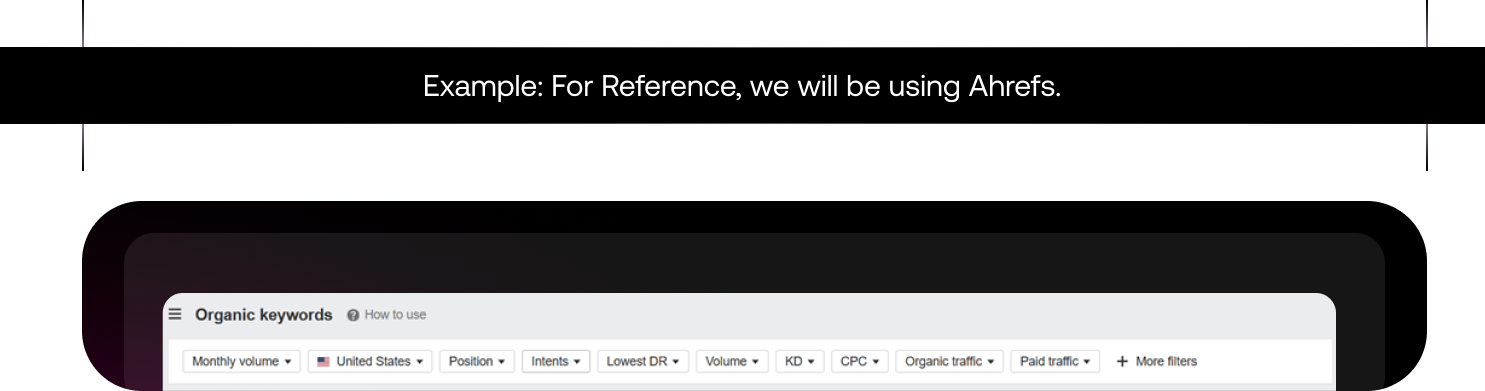
Once you have a list of potential keywords that you can target, start filtering according to Intent, KD, or Volume.
This will give you a blueprint of which keywords to target and which ones to avoid. If you are a SaaS business that offers services similar to Zapier, here are some keywords that you should target:

Once, you have chosen the relevant keywords, it’s time for you to research what the intent is on Google. Like if someone Googles ‘no code landing page’ what are the topic three results, and what’s the purpose of each page?

When a business owner clicks on your website link and takes more than 3 seconds to load, that’s indication enough to open your competitor’s website that doesn’t take so long.
Not only this, the Gods at Google won’t rank a website that takes more than 3 seconds to load.
Here are some factors that might be slowing down your website:
In this, you can make use of the keywords researched in Step 1.
Here’s what the backend looks like if you are building a custom Webflow website.
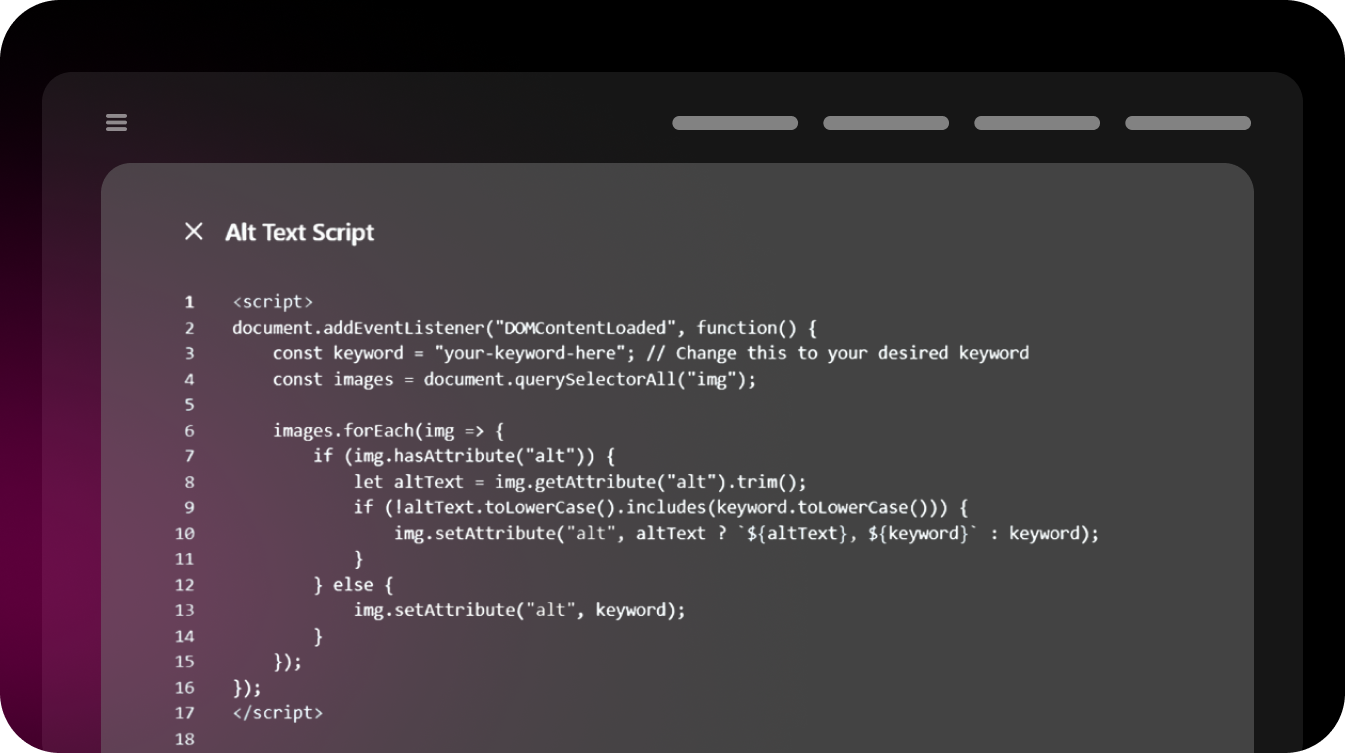
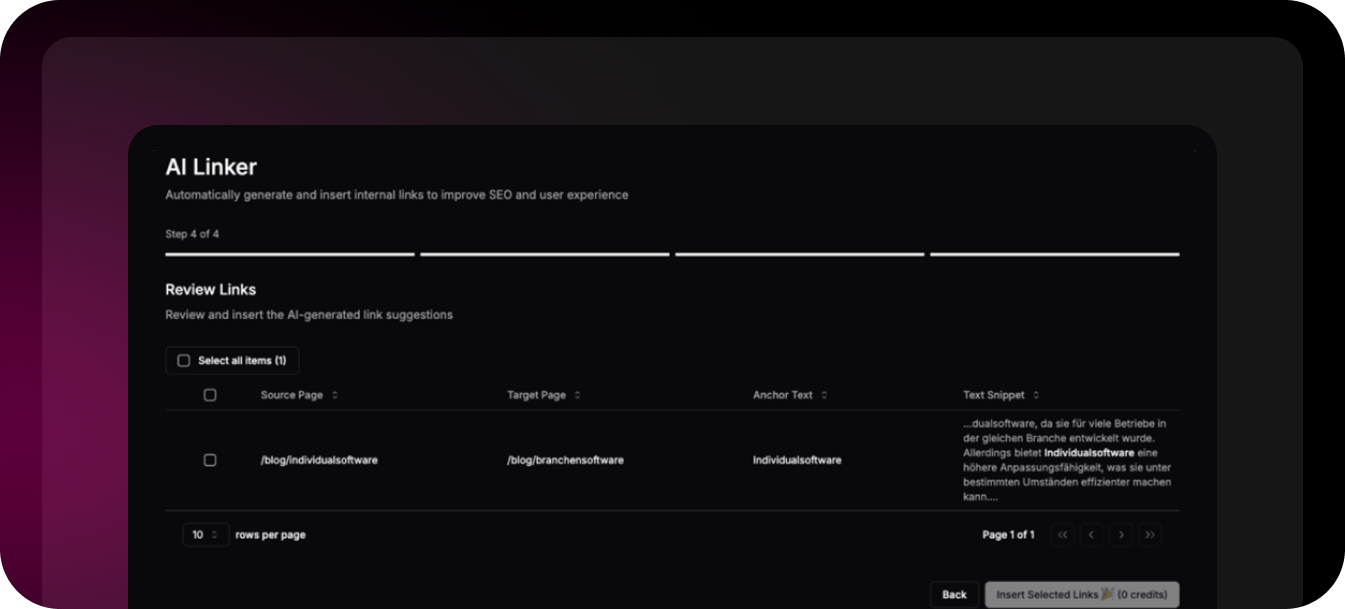
Internal linking basically allows Google to understand your website and which page is connected towhich one. If it's easier for the user to navigate, Google would rank your website on top.
Here’s an example:
Best Practices For Internal Linking
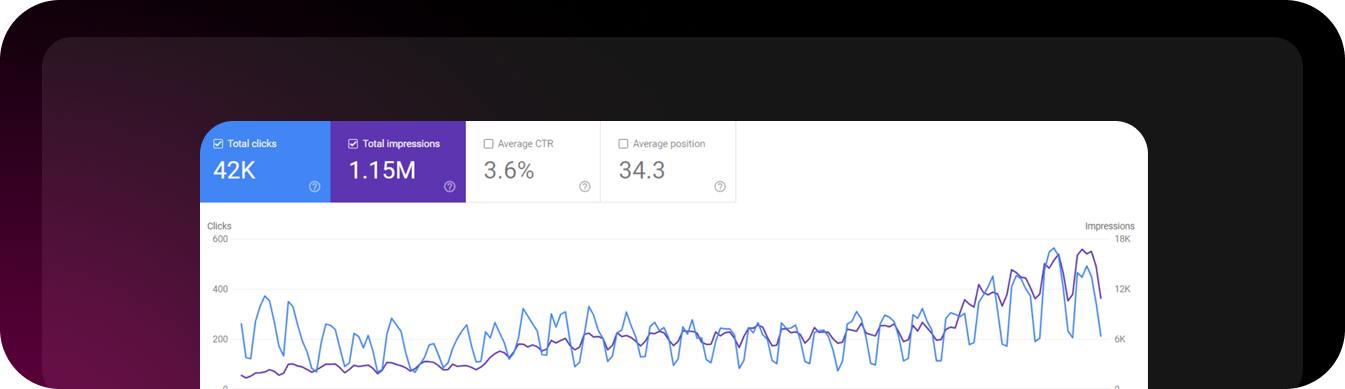
This is how Google Search Console’s graph looks like
Integrating your website with Google Search Console and Google Analytics helps you understandhow Google sees your website.
You can see how many impressions your page is getting and see which pages are being crawledby Google.
If pages aren’t indexed, you can see what’s causing the issue and submit an indexing request.You can understand which page is performing well and which one is just dead in the water.
Step 1: Add Website to Search Console
Step 2: DNS Verification Method
Step 3: Submitting Site Map
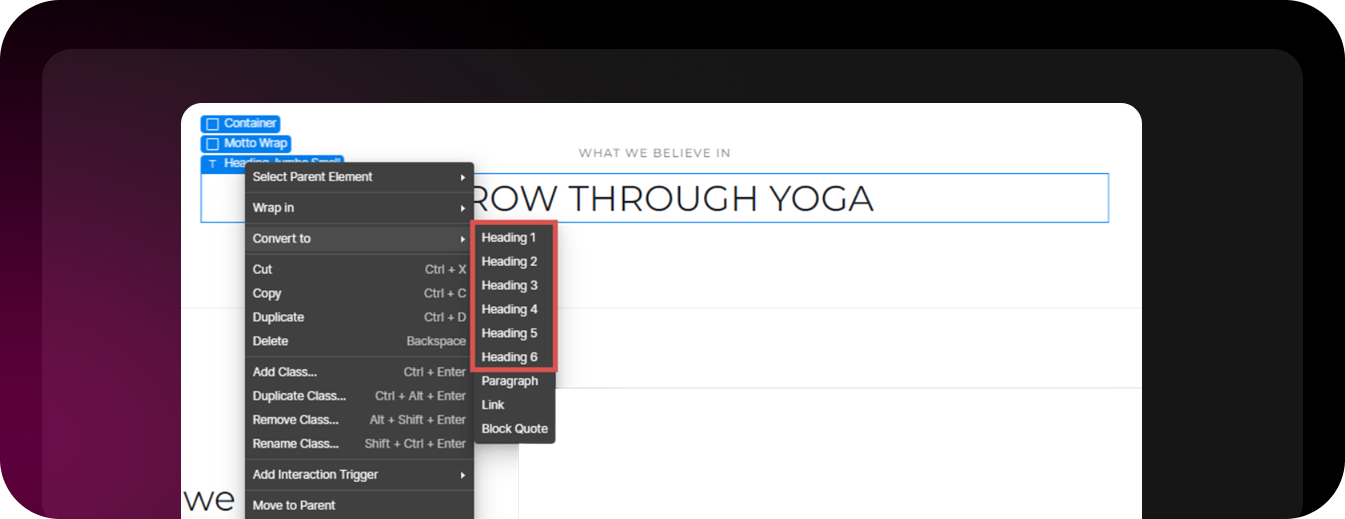
A website’s content is what makes it stand apart from the competition. Make sure that you createcopy that not only users but Google also enjoys.
Here are some best practices, you should follow when writing blogs:
Understanding Search Intent

Using the tool, Ahrefs, you can filter the user intent. Here are some examples of each

Before writing a blog, here are some questions you should ask:
Above are all the steps, you need to follow if you want an SEO-optimized Webflow website.
This may take time and would cost north of $150,000/year (not including health insurance). However, a simple solution to this would be working closely with a Webflow agency.
They would make sure that the complete SEO for your website is done and updated on a regular basis.
.png)


.svg "Upward index finger gesture icon")


